About this app
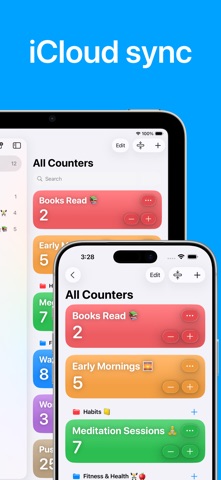
Counter: Tally & Habit Tracker is a versatile and easy-to-use app that helps you stay on track with everything from daily habits to fitness goals. It’s designed for simplicity and flexibility, letting you count workouts (reps and sets), log water intake, track scores, and build healthy routines - all in one place. With a clean, intuitive interface, it fits perfectly into any routine: at the gym, at work, or at home. Key Features - Habit Tracking: Create counters for daily tasks and routines - Workout & Fitness: Count reps, sets, or any exercise metric during your workouts. Keep track of weights, laps, or exercises with ease. - Hydration & Health: Log water and fluid intake with a dedicated counter. Set reminders to drink water regularly and stay hydrated. - Score & Event Tracking: Keep scores for games, events, or challenges. Whether it’s game night or a work competition, counting points is effortless. - Custom Reminders: Schedule notifications with your own time. Never miss a count or a goal thanks to personalized alerts. - Groups & Organization: Group related counters (e.g. different exercises or habit categories) into collections for easy organization. - Themes & Colors: Personalize your counters with customizable color themes. Assign colors or group icons for quick visual identification. - Flexible Counting: Adjust the count step size (for example, +1, +5, +10) to match your needs. Sort counters manually for a clean layout. Counter: Tally & Habit Tracker is the all-in-one app for tracking everything that matters. Keep yourself accountable and achieve your goals with simple, powerful counters. Download now and start tracking smarter today! Terms of Use: https://www.apple.com/legal/internet-services/itunes/dev/stdeula/
Latest release
What’s New
Custom Reset Value: Counters can now reset to any value you choose - not just zero. Set your reset value in the counter details, then swipe right on any Counter to reveal the Reset button.
Audience growth
Ratings growth
Baseline captured. Growth appears after the crawler observes a changed rating count.
Momentum comes from crawler snapshots for the tracked storefront. “Viral growth signal” means unusually fast recent rating gains; it is an indicator, not download data.
Price tracking
Price intelligence
First snapshot captured. The trend line starts after the next crawler price observation.
- First observed Sep 12, 2026 · 10:37 AM Free
Screenshots