About this app
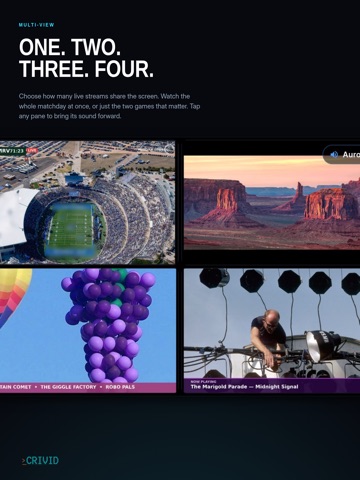
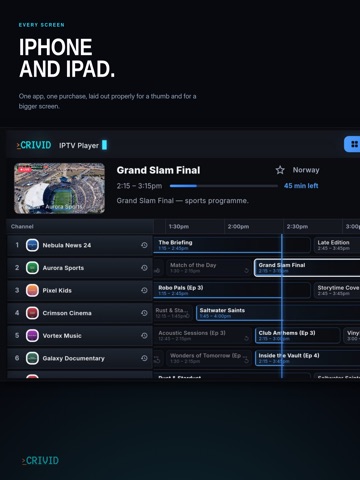
Crivid IPTV Player turns your own playlists into a fast, beautiful TV experience on iPhone and iPad. BRING YOUR OWN CONTENT Crivid IPTV Player is a player only — it does not include, sell or provide any channels, streams or subscriptions. You sign in with your own M3U playlist or Xtream Codes login from your TV provider, and optionally connect your own media servers and tuners. FAST FULL-SCREEN TV GUIDE • A lightning-fast programme guide built for big channel lists • Live channel preview while you browse — tap again for full screen • Catch-up & replay: rewind the timeline and watch earlier programmes (Pro) MOVIES & SERIES • Full VOD catalogue with posters, details and search (Pro) • Series with seasons, episode lists and watched-tracking (Pro) • Auto-play next episode MULTI-VIEW • Watch up to four live streams at once, with instant audio switching (Pro) YOUR WHOLE MEDIA HUB • Connect Plex, Jellyfin and Emby alongside your IPTV (Pro) • HDHomeRun network tuners and local files • Multiple playlists and profiles — combine them into one guide (Pro) MADE FOR iPHONE AND iPAD • Picture-in-Picture: keep watching while you do other things (Pro) • AirPlay audio to Apple TV, HomePod and speakers • Favorites for the channels, movies and shows you love (Pro) • Sleep timer, subtitle and audio track selection FREE AND PRO The free tier gives you live TV from one source plus the full TV guide — forever. A 7-day trial unlocks everything so you can try the whole app; after that, a single lifetime purchase unlocks Pro. No subscription. Crivid IPTV Player plays only the content you provide. It does not endorse or promote any third-party content service. An active playlist or server of your own is required.
Latest release
What’s New
Collections: your own named lists that can mix channels, media servers and local files. - A collection is your own named list of favorites. Put a channel, a film from your media server and a local file in the same list, and they stay together. - Collections start closed and open with one press. A closed collection shows a peek at the covers inside, so you can tell them apart without opening them. - Add something to a collection from the favorites tab, from the guide, or from a film or series page. An item can be in more than one collection. - Removing a playlist no longer erases its items from your collections. They are hidden while the playlist is gone, and come back when it returns. - Exporting favorites writes the collection name into the file, so it opens with your collections intact on another device. - Pinned groups can now be moved up and down into the order you want. - Favorites show which playlist each item came from. - Large guide feeds no longer run the app out of memory. The guide now reads the feed once as it arrives, instead of holding all of it at the same time. - Fixed: with two playlists, the guide could draw program blocks on top of each other. - Ratings now appear on the poster in the library grid.
Audience growth
Ratings growth
Baseline captured. Growth appears after the crawler observes a changed rating count.
Momentum comes from crawler snapshots for the tracked storefront. “Viral growth signal” means unusually fast recent rating gains; it is an indicator, not download data.
Price tracking
Price intelligence
First snapshot captured. The trend line starts after the next crawler price observation.
- First observed Aug 20, 2026 · 10:56 PM Free
Screenshots