About this app
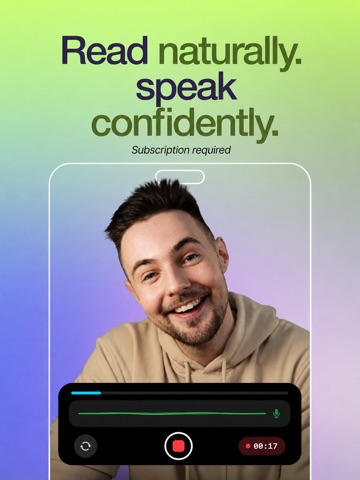
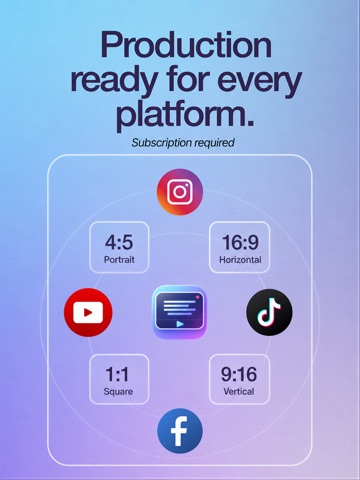
# CueCam – Teleprompter & Video Editor Read your script. Look at the camera. Record, edit, and publish, all from one app. CueCam is the all-in-one teleprompter and video creation app built for content creators, entrepreneurs, educators, and anyone who wants to look confident on camera without memorizing a single line. Your audience won't know you're reading from a script. Note: Free download includes onboarding and limited demo for evaluation. Full functionality requires a subscription. ## THREE WAYS TO READ YOUR SCRIPT CueCam gives you full control over how your teleprompter scrolls: ### Word Tracking The script follows your voice in real time using on-device speech recognition. Speak naturally, pause whenever you want, and the text stays in sync with you. ### Fixed Speed Set a constant scrolling speed and read at your own rhythm. Adjust it anytime with a simple slider. ### Timed Scrolling Set a target duration and the script automatically paces itself to finish exactly on time. Perfect for time-limited content. ## RECORD PROFESSIONAL VIDEOS Record video while reading your script with the teleprompter overlay. - Switch between front and rear cameras - Choose resolution: 720p, 1080p, or 4K - Select frame rates: 24, 25, 30, 48, 50, or 60 FPS - Cinematic video stabilization for smooth footage - Live audio waveform monitoring - External microphones and Bluetooth audio inputs ## CONTROL YOUR SESSION HANDS-FREE Five ways to drive the teleprompter without touching the iPhone: - Apple Watch — play/pause, restart, and adjust speed from your wrist with the Digital Crown - Gamepad — pair an Xbox, PlayStation, 8BitDo or any MFi controller - Browser Remote (local Wi-Fi) — open a web page on any phone or laptop on the same network, no app to install - Cloud Remote — type a 6-digit code at remote.cuecamapp.com to control from any browser, anywhere in the world - Hardware keyboards and presenter remotes over Bluetooth or USB ## A FULL EDITING STUDIO IN YOUR POCKET No need to switch apps. Edit everything immediately after recording: - Trim your video to keep only the best parts - Auto-generate subtitles on-device in 60+ languages, no internet needed - Customize captions with Classic, Social, Minimal, and Neon styles - Edit subtitle text, timing, and positioning - Resize exports: 9:16, 16:9, 1:1, or 4:5 - Replace background with any image - Blur background for a professional depth-of-field effect - Add watermark or logo - Mirror video horizontally - Clean audio by reducing background noise - Add intro and outro sequences ## EXPORT READY FOR EVERY PLATFORM Share directly to TikTok, Instagram, YouTube, Facebook, and more. Every video is optimized for the platform you choose, no extra steps required. ## MANAGE YOUR SCRIPTS Write, edit, and organize all your scripts in one place. Your script library keeps everything ready for your next recording session. ## BUILT FOR CREATORS AT EVERY LEVEL Whether you're a first-time creator or a seasoned professional, CueCam adapts to your workflow. No expensive equipment, no complicated setup, no learning curve. Just open the app, paste your script, and hit record. Perfect for: - YouTube videos and vlogs - TikTok and Instagram Reels - Online courses and tutorials - Business presentations and pitches - Podcasts and interviews - Self-tape auditions - Sermons and public speaking practice ## WHY CREATORS CHOOSE CUECAM - 100% on-device processing. Your scripts and videos never leave your phone - No external accounts required - Available in 7 languages: English, Spanish, German, French, Italian, Dutch, and Polish - Clean, intuitive interface designed for speed - One subscription unlocks everything ## Pricing & Access An active subscription is required to access core features (recording, subtitles and caption styles, background effects like blur/replace, watermark/logo, audio cleanup, and high-quality exports). Terms: https://www.apple.com/legal/internet-services/itunes/dev/stdeula/
Latest release
What’s New
Improved responsiveness when opening the video editor.
Audience growth
Ratings growth
Baseline captured. Growth appears after the crawler observes a changed rating count.
Momentum comes from crawler snapshots for the tracked storefront. “Viral growth signal” means unusually fast recent rating gains; it is an indicator, not download data.
Price tracking
Price intelligence
- First observed Sep 28, 2026 · 11:40 PM Free
Screenshots