About this app
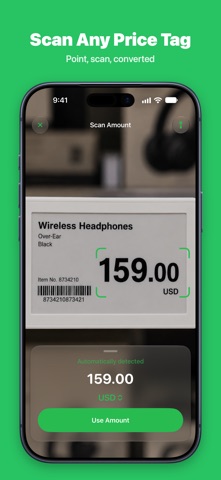
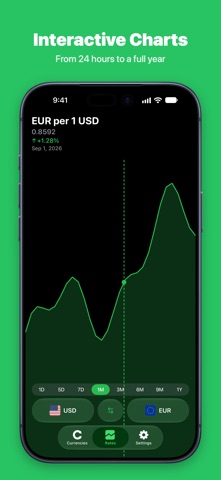
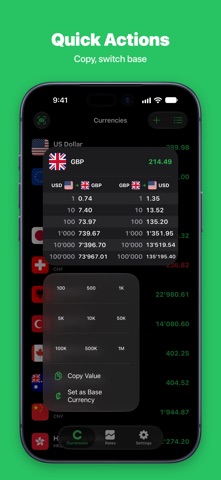
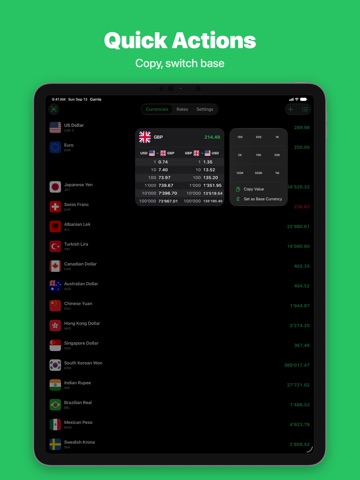
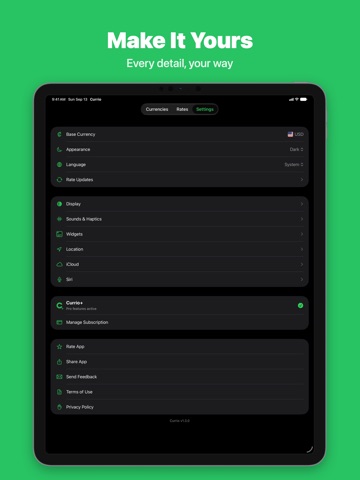
Stop fumbling with currency math. Just type an amount — Currio instantly converts it into every currency on your list. No menus, no loading, no sign-up. One app for every situation: checking prices abroad, sending money home, shopping in foreign stores, or simply staying on top of exchange rates. Currio does one thing — and does it without getting in your way. ALL CURRENCIES. ONE SCREEN. Most converters make you pick one pair at a time. Currio shows every currency at once, updating live with each keystroke. Add as many as you need, drag to reorder, and make the list yours. WORKS WITHOUT INTERNET Currio stores the latest rates on your device. No Wi-Fi at the airport? No data roaming? No problem — convert anywhere in the world. BUILT-IN CALCULATOR Split a bill, add up expenses, or multiply a price — directly in the amount field. Tap any result to flip the conversion and calculate from that currency instead. CAMERA PRICE SCANNER Point your camera at any price tag and Currio reads the amount for you. The currency is detected automatically — just confirm and convert. No typing, no guessing. INTERACTIVE CHARTS See how your currencies have moved — from the last 24 hours to the past year. Know where your currencies stand at a glance. HOME SCREEN WIDGETS Live conversions without opening the app, in every size up to the new full-page widget. Long press a widget to give it its own base currency, currencies and amount. On the Lock Screen, a widget shows your rates at a glance and a round Currio button opens the app. SYNCS VIA iCloud Your currency list and settings stay in sync across all your Apple devices. Set up once, use everywhere. APPLE WATCH Currio on your wrist: your favorite currencies, quick conversions with the Digital Crown, and a watch-face complication showing your favorite pair — even offline. Part of Currio+. 173 CURRENCIES Fiat, crypto, and precious metals — from USD and EUR to Bitcoin, Ethereum, Gold, and Silver. SIRI & SHORTCUTS Convert currencies hands-free with Siri or build custom automations with Shortcuts. QUICK ACTIONS Long-press the app icon to jump straight into conversion or charts. Copy any value with one tap. MADE FOR iOS 27 Currio is built for the latest iOS and the newest iPhone and iPad models — and runs just as well on iOS 26. CURRIO+ Take Currio to the next level: • No ads • Rate updates up to every 5 minutes • Full chart access with detailed range comparison • Custom widgets with your preferred pairs • Auto-detect local currency based on your location • Apple Watch app with watch-face complication Terms of Use (EULA): https://currioapp.com/terms Privacy Policy: https://currioapp.com/privacy
Latest release
What’s New
v1.3.0 • Ready for iOS 27 – including the new full-page portrait widget • Widgets: set the base currency, currencies and amount per widget – long press a widget and choose Edit Widget (your own base and currencies with Currio+) • The fixed amount and the custom currency list have moved from the app's widget settings to the widget itself • In the small Home Screen widget, tapping a currency opens the amount entry directly • New on the Lock Screen: a widget with your rates and a round Currio button that opens the app • The “Offline” notice only appears without a connection; outdated rates are now marked “Outdated” • Stability improvements and bug fixes
Audience growth
Ratings growth
Baseline captured. Growth appears after the crawler observes a changed rating count.
Momentum comes from crawler snapshots for the tracked storefront. “Viral growth signal” means unusually fast recent rating gains; it is an indicator, not download data.
Price tracking
Price intelligence
First snapshot captured. The trend line starts after the next crawler price observation.
- First observed Sep 14, 2026 · 5:23 PM Free
Screenshots