About this app
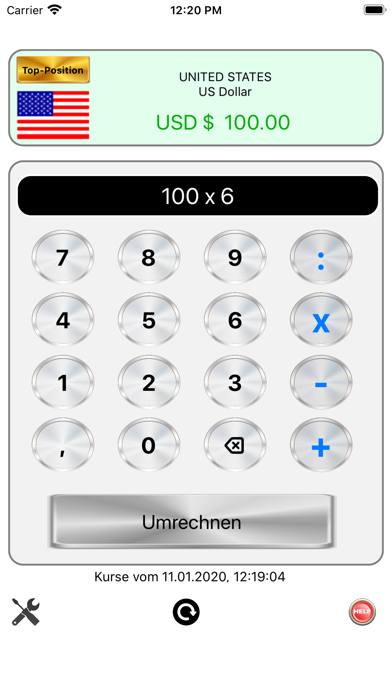
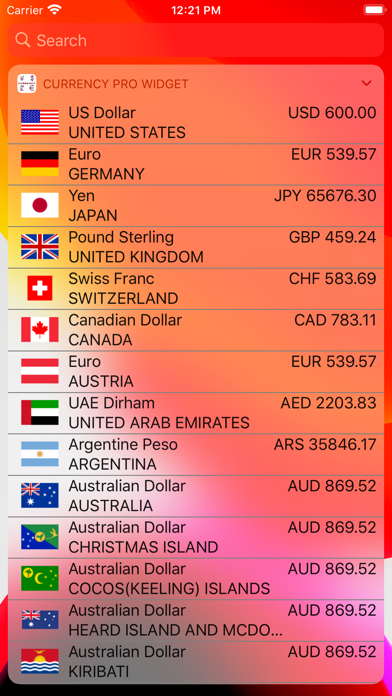
Currency Professional is your reliable companion for travel, finance, and international shopping. The app provides real‑time exchange rates, clear country information including flags, and an intuitive calculator that lets you convert or further process amounts instantly. The app is deliberately designed to be clean, fast, offline‑capable, and optimized for both iPhone and iPad. Features at a Glance • Live Exchange Rates Automatic updates via the FCSAPI interface Precise rate data for over 80 currencies Visible timestamp of the latest update • Intuitive Currency Calculator Full calculator functionality (plus, minus, multiply, divide) Decimal input with comma Instant conversion into all stored currencies Automatic saving of the last entered amount • Countries & Flags Each currency with country, national flag, and full name Clear list of all available currencies Quick selection with a single tap • Favorites & Personalization Automatic saving of your preferred currencies Individual sorting via drag & drop (long‑press) Optimized layout for iPhone and iPad • Offline Mode Previously loaded rates remain available App continues to work even without internet • User‑Friendly Design Clear structure, large buttons — ideal for on the go Dynamic font sizes depending on screen width Modern layout with rounded elements Perfect for Travel & vacations Online shopping abroad Financial planning International business trips Forex enthusiasts Why this app? Because it simply works: fast, clear, without unnecessary clutter — yet with everything you need for precise currency conversions.
Latest release
What’s New
This update brings a fresh boost to Currency Professional! The app has been modernized, optimized for the latest devices, and refined under the hood. The result: faster loading, smoother animations, and an even cleaner interface. • Updated support for the newest iPhone and iPad models • Improved performance when loading exchange rates • Modernized user interface with refined visual details • Optimized layout for both large and small screens • Stability and security enhancements behind the scenes Currency Professional now runs smoother than ever – ready for your travels and financial tasks.
Audience growth
Ratings growth
Baseline captured. Growth appears after the crawler observes a changed rating count.
Momentum comes from crawler snapshots for the tracked storefront. “Viral growth signal” means unusually fast recent rating gains; it is an indicator, not download data.
Price tracking
Price intelligence
First snapshot captured. The trend line starts after the next crawler price observation.
- First observed Aug 19, 2026 · 6:33 PM Free
Screenshots