About this app
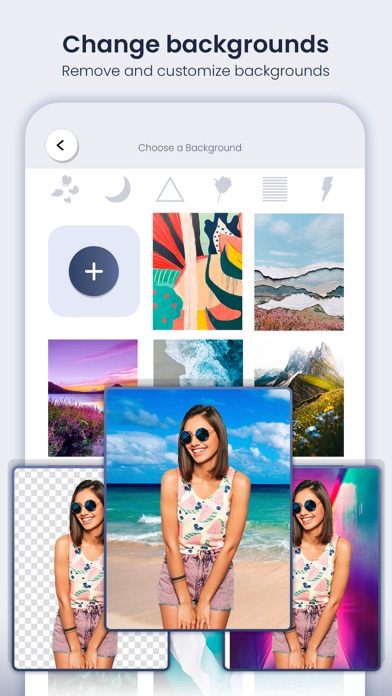
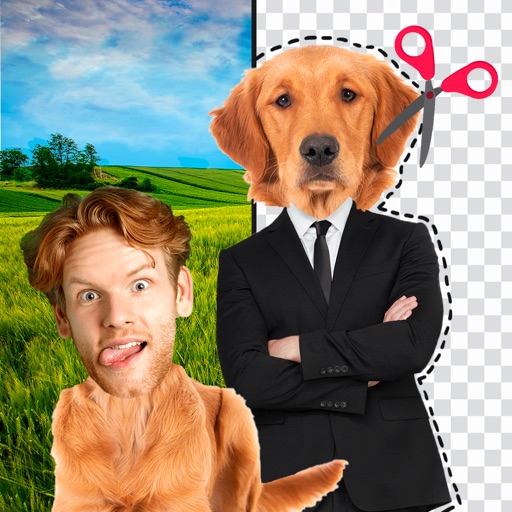
Cut and paste photo editor allows you to cut images and make the background of an image transparent. Then you can use these images as stickers or to create fun photomontages and collages. This background eraser is very easy to use and helps you remove background from photos automatically with AI tools, remove backgrounds from photos and save your images in high quality transparent PNG. Also, there are more than 200 backgrounds and stickers for you to decorate your designs. With this fun app you can swap faces, cut and paste whatever you want into another photo. You can also remove the background image as well as cut the people that appear in the photo and put them on another plane. Very useful to eliminate people you don't want to appear in the photos. Start editing your images with simple and advanced photo editing tools. Assisted photo editor simplifies the whole process of changing cut and paste or erasing image background by showing you how to cut out unwanted objects and people. Choose the appropriate objects and in a few seconds you will be able to insert them into the new background that you like. If you want to get more out of it, access the advanced mode and customize your design with tools such as the text generator, the free drawing tool with which you can give your personal touch or the sticker gallery where you will find a wide collection of stickers that will help you It will allow you to create the most attractive and incredible collages and montages.
Latest release
What’s New
Updated Libraries: We've upgraded our libraries to the latest versions, ensuring enhanced performance, stability, and security. Minor Bug Fixes: We have resolved various minor visual and functional bugs to provide you with a smoother and more reliable experience. Visual Enhancements: The user interface has been visually improved for a cleaner and more intuitive look, making your interactions with the app more pleasant.
Audience growth
Ratings growth
Baseline captured. Growth appears after the crawler observes a changed rating count.
Momentum comes from crawler snapshots for the tracked storefront. “Viral growth signal” means unusually fast recent rating gains; it is an indicator, not download data.
Price tracking
Price intelligence
First snapshot captured. The trend line starts after the next crawler price observation.
- First observed Sep 6, 2026 · 12:07 PM Free
Screenshots