About this app
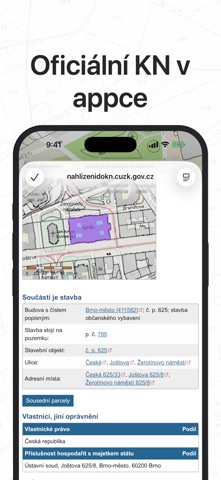
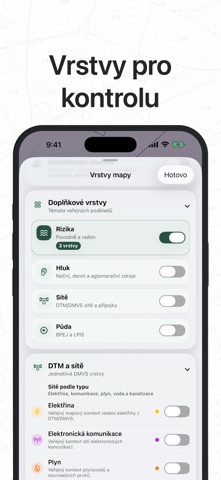
Find a parcel, lot, or building in seconds. Measure it, verify it in the official Czech Land Registry, and turn on public map layers right away. Czech Cadastre combines a crisp cadastral map, parcel numbers, land measurement, and public layers in one native app for iPhone and iPad. Tap the map to open a parcel or building detail; legally authoritative records and title information open directly in the official Czech Land Registry website inside the app. What you get: - crisp vector cadastral linework with readable parcel numbers at high zoom levels - search by address, municipality, parcel number, and cadastral area - parcel details with area, perimeter, land type, and a link to the official registry - buildings, easements, aerial imagery, and other public map sources - optional orientation-only land context: floods, DTM/DMVS utility networks, noise, radon, LPIS, and BPEJ - distance, area, and rectangle measurement directly on the map, including standalone saved measurements - saved parcels and buildings, search history, sharing, and GeoJSON, KML, and GPX export - Apple Maps, aerial and hybrid basemaps, and full Dark Mode support Pay once. There are no subscriptions or additional purchases; every feature and layer is included. The app has no proprietary backend. Data is loaded directly from public Czech mapping and registry services including ČÚZK, CENIA, MZe, ČGS, MZČR, and DMVS/DTM. This is not an official ČÚZK app. Context layers are for orientation only; always verify legally authoritative information in the official Czech Land Registry. Start your first parcel check directly on the map.
Latest release
What’s New
Find the right place faster — search now works better with addresses, buildings, and parcels, and remembers recent places with known addresses. • Clearer parcel and building details, with key facts, rights, restrictions, and sources easier to find. • Saved measurements, smoother map interactions, and easier-to-understand layers. • More reliable sign-in to the official Land Registry; signed-in data stays on your device.
Audience growth
Ratings growth
Baseline captured. Growth appears after the crawler observes a changed rating count.
Momentum comes from crawler snapshots for the tracked storefront. “Viral growth signal” means unusually fast recent rating gains; it is an indicator, not download data.
Price tracking
Price intelligence
First snapshot captured. The trend line starts after the next crawler price observation.
- First observed Aug 24, 2026 · 1:25 AM $1.99
Screenshots