About this app
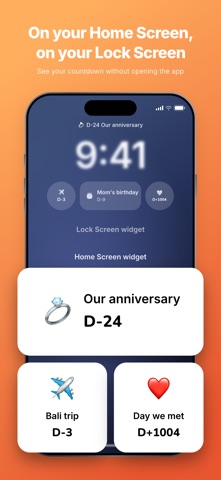
Put the days that matter on your Lock Screen. D-Day Widget counts down to the dates you care about — and keeps counting the days since — right on your Home Screen, Lock Screen, and Apple Watch. ■ Widgets everywhere - Home Screen: small and medium widgets - Lock Screen: inline, circular, and rectangular widgets - Apple Watch: circular and rectangular complications - Choose which anniversary each widget shows ■ Made to look the way you want - 1,000+ emojis, with the ones you use most floated to the top - Toggle the emoji, name, day count, and actual date - A clean card layout that stays readable at a glance ■ Counting that matches how you count - Automatic D-Day math (D-7, D+100) - Pick your counting style: D+1, which counts the start day, or D-0 - Upcoming milestones at a glance: D+100, D+1000, 1 year, 10 years ■ Perfect for - Wedding and dating anniversaries - Birthdays, D-100, D-200 - Exams, first day at a new job, discharge day - Trips, due dates, deadlines, streaks Go Premium to remove every ad and keep things clean. Add a date, add the widget, and never lose track again. Terms of Use: https://www.apple.com/legal/internet-services/itunes/dev/stdeula/
Latest release
What’s New
3.0.0 — our global release • 21 languages. Added Italian, Indonesian, Russian, Turkish, Thai, Vietnamese, Arabic, Hindi, Dutch, Polish, Malay, Hebrew and Swedish, and polished the original eight. Right-to-left layouts are supported for Arabic and Hebrew. • Rebuilt emoji picker with a Frequently Used section that learns from you, plus a cleaner grid. • Counting style is now a simple switch: D+1, which counts the start day, or D-0. • Upcoming milestones show up while you edit a date — your next D+100, D+1000 and yearly anniversary. • Faster, more reliable Apple Watch syncing and a tidied-up widget layout. Thanks for counting with us. Questions or ideas? Reach us from the More tab.
Audience growth
Ratings growth
Baseline captured. Growth appears after the crawler observes a changed rating count.
Momentum comes from crawler snapshots for the tracked storefront. “Viral growth signal” means unusually fast recent rating gains; it is an indicator, not download data.
Price tracking
Price intelligence
First snapshot captured. The trend line starts after the next crawler price observation.
- First observed Sep 1, 2026 · 1:43 PM Free
Screenshots