About this app
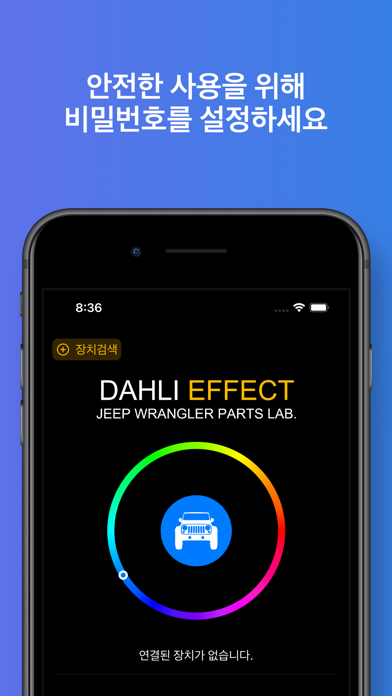
1. 장치의 기본 설정 방법은 앱 내부에서 'DAHLI AMBIENT' 를 눌러보시면 유튜브 영상을 확인할 수 있습니다. 2. 장치를 초기화 하기 위해서 1) 차량의 시동을 Start 하시고, 2) 5초 이내 시동을 끕니다. 3) 1), 2)를 5회 반복합니다. 3. 가운데의 차량 아이콘을 눌러서 LED를 끄거나 켤 수 있습니다. 4. 가운데의 차량 아이콘을 길게 눌러서 아이콘을 변경할 수 있습니다. 5. 장치 연결 후 우측 상단의 '레인보우' 버튼을 눌러 LED 색이 자동으로 변하게 할 수 있습니다. 6. 안전한 사용을 위해 비밀번호 변경 후 사용 해주시기 바랍니다.
Latest release
What’s New
앱 아이콘 이름 변경
Audience growth
Ratings growth
Baseline captured. Growth appears after the crawler observes a changed rating count.
Momentum comes from crawler snapshots for the tracked storefront. “Viral growth signal” means unusually fast recent rating gains; it is an indicator, not download data.
Price tracking
Price intelligence
First snapshot captured. The trend line starts after the next crawler price observation.
- First observed Aug 19, 2026 · 6:33 AM Free
Screenshots