About this app
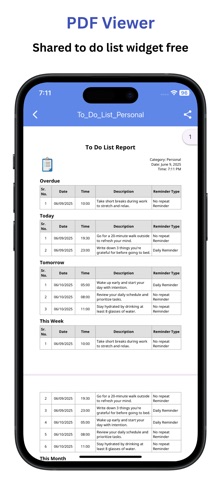
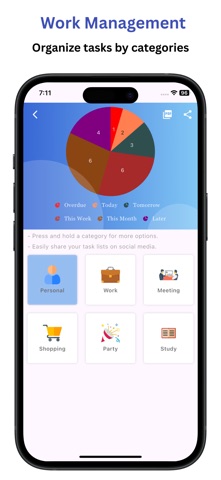
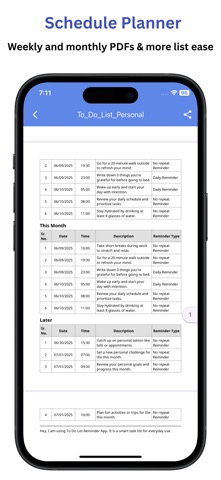
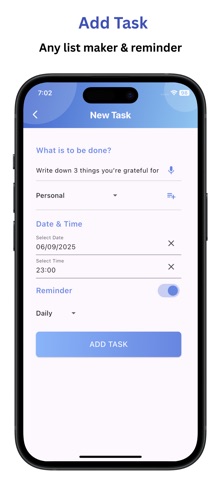
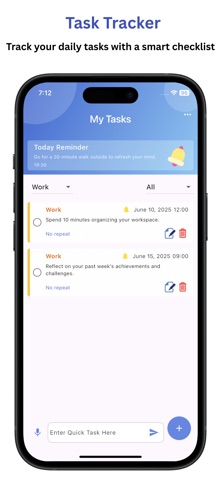
Do you often forget what to do and which things need to be done? The Daily Schedule Planner App helps you stay on track with a simple and easy-to-use way to make your lists and remind you. It helps you add all your routine tasks quickly, plan your day, build better habits, stay organized, and notify you. Who Can Use the “Schedule Planner”? The Simple To Do List app is made for everyone. Whether you are a student, a professional, or managing your home, this app helps you to stay on track. - Students can plan their homework, manage assignments, and get reminders for important deadlines using a checklist. - Professionals can keep track of meetings, project tasks, and daily goals to stay productive at work by tracking tasks. - Homemakers can manage household chores, shopping lists, and daily routines with ease. - Everyone can use the schedule planner app to simplify daily life, stay organized, and boost productivity. Key Features: - Available in 13 languages: English, German, Spanish, French, Italian, Japanese, Korean, Portuguese, Russian, Thai, Turkish, Hindi, and Chinese. - Securely sync your data with iCloud for seamless backup and restore across all your devices. - Export unlimited task summaries as professionally formatted PDF reports. - Organize your day, week, or month with calendar view. - Upcoming Tasks Widget. - Add tasks, lists, and reminders easily. - Plan your daily habits and routines. - Support for full-day, timed, or no-due-date tasks. - Categorize tasks the way you like. - Add tasks quickly using your voice. - Set repeating tasks with flexible reminders. - Smart notifications and one-time or recurring alerts. - Visualize your tasks with built-in Gantt charts. - Share your task lists easily. - Generate reports in 13 languages. - Listen to tasks with text-to-speech support. - See upcoming tasks with clear reminder icons. Stay on top of the to-do list maker. Plan better. Get more done. Try the “Daily Schedule Planner: Notify” app today. It is easy to use, fast, and helps with your daily tasks.
Latest release
What’s New
Thanks for choosing the "Daily Schedule Planner: Notify". - Upcoming Tasks Widget See your upcoming tasks at a glance right from your home screen. Stay organized without opening the app. (Free Widget) - Better Performance & Stability Enjoy a smoother, faster, and more reliable app experience.
Audience growth
Ratings growth
Baseline captured. Growth appears after the crawler observes a changed rating count.
Momentum comes from crawler snapshots for the tracked storefront. “Viral growth signal” means unusually fast recent rating gains; it is an indicator, not download data.
Price tracking
Price intelligence
First snapshot captured. The trend line starts after the next crawler price observation.
- First observed Sep 14, 2026 · 1:19 AM Free
Screenshots