About this app
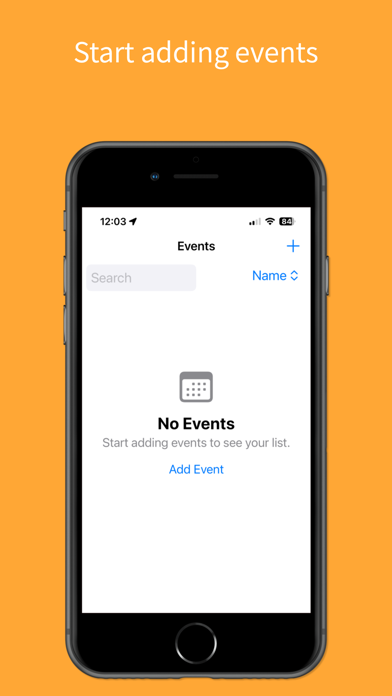
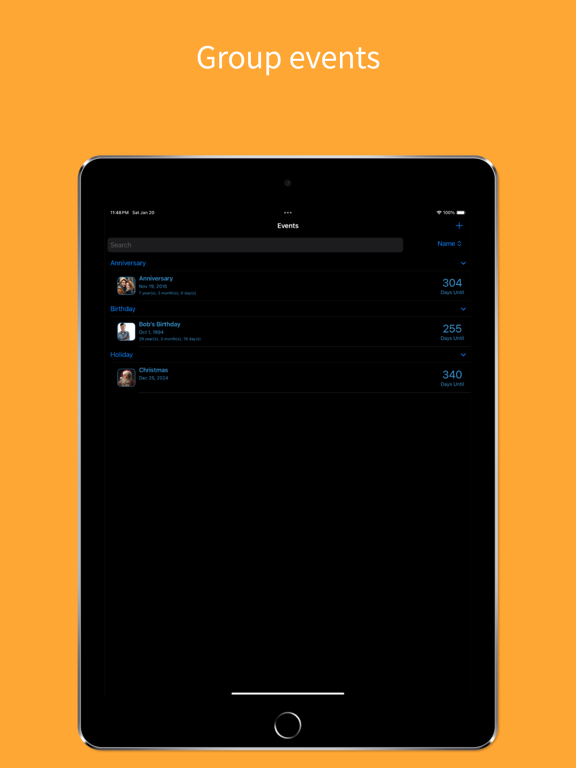
Days Gone By helps you hold onto the moments that matter — birthdays, anniversaries, memorials, and every milestone in between. Whether you're counting down to a celebration or reflecting on how far you've come, Days Gone By keeps your life's most meaningful dates close at hand. Key Features: Dashboard — See what's coming up next at a glance, along with quick stats for the month ahead and all your events in one place. Event Tracking — Record and organize birthdays, anniversaries, memorials, and any occasion worth remembering. Home Screen Widget — Add Days Gone By to your home screen to see your next event's countdown without opening the app, or pin it to one specific date you never want to forget. Reminders & Alerts — Set custom alerts so you're never caught off guard by an approaching date. Automatic Time Calculation — For recurring events like birthdays, Days Gone By calculates the time elapsed or remaining, giving you a real sense of the journey. Age Calculator — Instantly see the age tied to any recurring event, capturing the growth and passage of time. iCloud Sync — Keep your events up to date across all your devices. Thoughtful, Intuitive Design — A clean, easy-to-navigate interface makes tracking your life's moments simple and enjoyable. Days Gone By is your companion for embracing nostalgia, celebrating the present, and looking forward to what's ahead. Because every day is a story worth telling.
Latest release
What’s New
New Dashboard tab — see your next upcoming event at a glance, plus quick stats for this month, the next 30 days, and your categories. Home screen widgets — add a Days Gone By widget to your home screen showing your next upcoming event's countdown. Long-press the widget to pin it to a specific event instead, and tap it to jump straight to that event in the app. iCloud sync — turn on iCloud sync in Settings to keep your events up to date across all your devices. Smarter sorting — when grouping is turned off, events are now ordered by days until/days since, with clear Upcoming and Past sections. A few small touches — a subtle marker now appears next to the name of any event marked as deceased, and we fixed some visual glitches with sticky headers while scrolling.
Audience growth
Ratings growth
Baseline captured. Growth appears after the crawler observes a changed rating count.
Momentum comes from crawler snapshots for the tracked storefront. “Viral growth signal” means unusually fast recent rating gains; it is an indicator, not download data.
Price tracking
Price intelligence
First snapshot captured. The trend line starts after the next crawler price observation.
- First observed Aug 4, 2026 · 7:40 PM $1.99
Screenshots