About this app
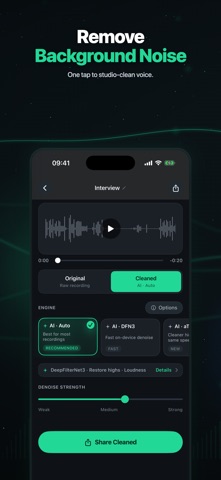
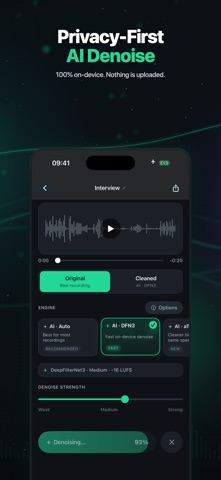
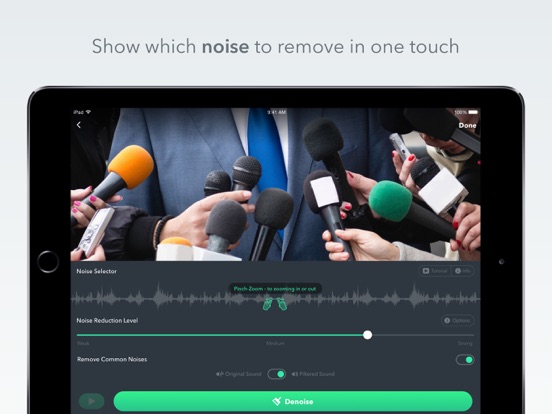
Denoise cleans up bad voice recordings. Instantly. On your iPhone. Completely private. Tap one button. Background noise, fan hum, traffic, room echo, and wind are gone. Your voice stays clear. No audio leaves your device. No subscription needed to denoise. No DAW jargon to learn. WHAT'S NEW IN 4.0 • AI Denoise (Free): on-device neural network, built for voices. Runs in seconds. • Pro Rescue: restores impossible recordings - clipped audio, heavy reverb, low-quality phone calls, distant voice memos. Premium. • Before/after toggle: hear the difference instantly. • Faster export with iOS 17 and 18. WHO IT'S FOR • Podcasters cleaning up guest tracks recorded on iPhone • Journalists rescuing field interviews • Students saving lecture recordings from echoey halls • Creators making TikTok, Reels, and Shorts that don't sound like they were recorded in a parking lot • Anyone who hits Voice Memos and regrets it later WHY DENOISE • 100% on-device. We never see your audio. • Works on what you already have: Voice Memos, Photos videos, Files, share sheet, and as a Photos extension. • Pro power-user mode keeps the manual 5-band EQ and noise-floor slider for people who want it. • Export to .m4a or .mp3, send anywhere. Try Denoise on your worst recording. We bet it sounds usable. DENOISE PRO Denoise Pro is a premium subscription that unlocks unlimited saving and exporting of your cleaned recordings, plus Pro Rescue, our most powerful restoration for difficult audio. The core AI denoiser is always free - Denoise Pro keeps the app ad-free and funds its continued development. Denoise Pro is available as a monthly auto-renewable subscription or as a one-time lifetime purchase. Payment is charged to your Apple ID at purchase, and a subscription renews automatically unless it is cancelled at least 24 hours before the end of the current period. You can manage or cancel anytime in your App Store account settings. Terms of Use (EULA): https://www.apple.com/legal/internet-services/itunes/dev/stdeula/
Latest release
What’s New
• WAV export now works with every engine. If you choose WAV under Options, your cleaned recording is saved as a lossless WAV file instead of M4A. Previously the WAV setting was only applied by the Classical engine, so AI cleanups always came out as M4A. • Fixed crashes while cleaning a recording. Some files could close the app instead of cleaning, and stopping a job partway through could close it while it was still saving. Files we cannot read now show a clear message instead. • More reliable saving. Fixed a rare failure that could stop a finished recording from being saved when Normalize loudness was turned on, and cancelling a job no longer discards the previous cleaned version.
Audience growth
Ratings growth
Baseline captured. Growth appears after the crawler observes a changed rating count.
Momentum comes from crawler snapshots for the tracked storefront. “Viral growth signal” means unusually fast recent rating gains; it is an indicator, not download data.
Price tracking
Price intelligence
- First observed Aug 16, 2026 · 5:15 PM Free
Screenshots