About this app
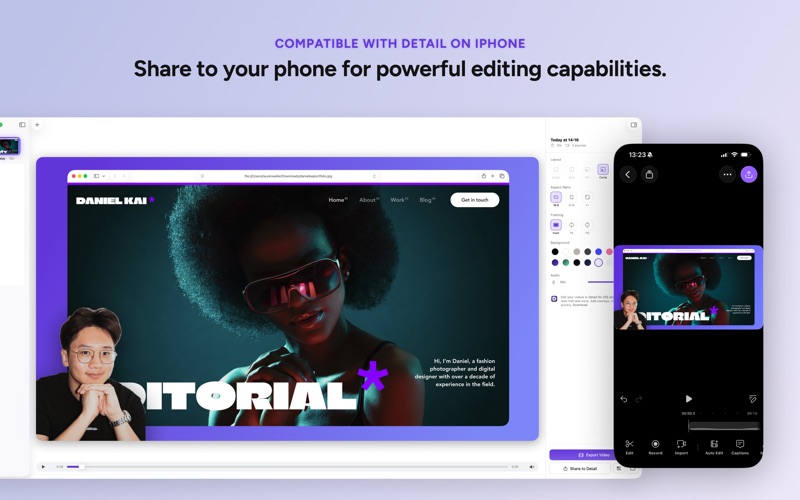
Create online courses, classroom videos, tutorials, presentations, video podcasts, cooking videos, and more - with your camera and screen side by side. Everyone can create video. Detail Capture lets you record on your Mac without complicated tools or setup. Add a second camera for podcasts, a top-down shot, or any angle you need. Just hit record. Export directly from Detail Capture, or open your recordings in Detail for iPhone and iPad to add auto-captions, trim, and share to your favorite platforms in seconds. • Record your camera and screen together • Use two cameras at once • Capture any app or your whole display • Use your iPhone as a camera • Show your iPhone or iPad screen in your recording • Present with slides • Export for YouTube, TikTok, Instagram, or LinkedIn • AirDrop to Detail on iPhone and iPad to edit FOR EDUCATORS & COURSE CREATORS Record yourself teaching alongside your slides or any app. Your students see your face and your content together, making lessons more engaging. Export in landscape for YouTube or vertical for social media. FOR PRODUCT DEMOS & APP WALKTHROUGHS Show your iPhone or iPad screen while you talk through what's happening. Perfect for app tutorials, product demos, or showing how something works on mobile. FOR PODCASTERS & INTERVIEWERS Record video podcasts with a guest on iPhone. Just scan a QR code with Detail on iOS and you're recording together - no cables, no complicated setup. FOR PRESENTERS & SPEAKERS Add your slides and present while recording. Use arrow keys to move through them, and your face stays visible in the corner. Great for webinars, talks, or any presentation you want to share later. WORKS WITH DETAIL FOR iOS Detail Capture is the Mac companion to Detail, the App Store Award-winning video app. Your recordings sync automatically. Open them in Detail to trim, add captions, auto-edit, and share directly to YouTube, Instagram, TikTok, and more. TERMS OF SERVICE You can find our terms of service here: https://detail.co/terms And our privacy policy: http://detail.co/privacy
Latest release
What’s New
Improvements to screen recordings, better keyboard shortcuts and fixed a bug that blocked purchases for some users. Happy recording!
Audience growth
Ratings growth
Baseline captured. Growth appears after the crawler observes a changed rating count.
Momentum comes from crawler snapshots for the tracked storefront. “Viral growth signal” means unusually fast recent rating gains; it is an indicator, not download data.
Price tracking
Price intelligence
First snapshot captured. The trend line starts after the next crawler price observation.
- First observed Aug 19, 2026 · 11:05 AM Free
Screenshots