About this app
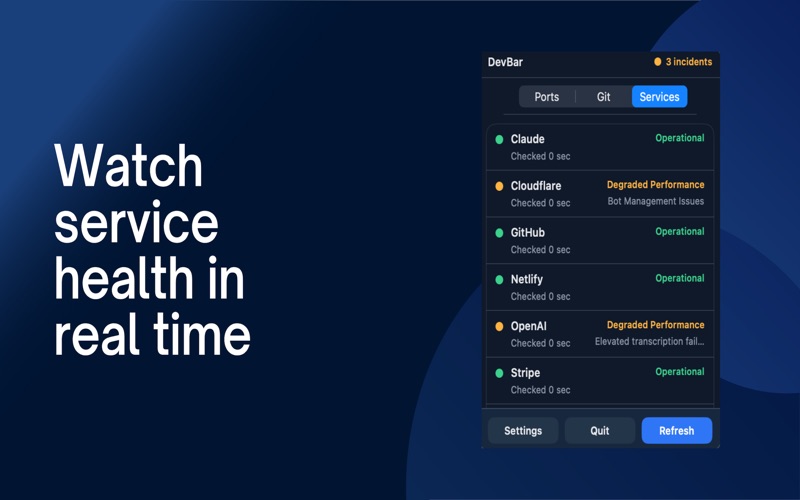
DevBar: Your Developer Command Center in the macOS Menu Bar DevBar keeps the tools you check all day in one fast, beautiful menu bar app. No more jumping between terminals, browser tabs, Git clients, and status pages just to understand what is happening on your machine. Monitor ports. Track repos. Watch services. Stay focused. Ports: Control Localhost Instantly See active local ports at a glance, including common dev ports like 3000, 5432, 5173, 8000, and 8080. Open local apps in your browser with one click. Kill stuck processes without touching the terminal. Auto-refresh keeps your local environment visible. Git: Know What Changed DevBar helps you keep an eye on your repositories while you work. Track branches, modified files, staged changes, untracked files, deleted files, and pending work. Show or hide detailed Git status per repository. See repo status without opening your editor or running commands. Services: Check Outages Fast Before debugging your own code, quickly see whether the services you rely on are having issues. Monitor GitHub, Vercel, Netlify, Cloudflare, npm, Stripe, and custom services. Get a clear view of operational, degraded, and outage states. Add or remove services based on your workflow. Customize Your Workspace DevBar includes a polished settings experience with light/dark mode support, menu bar themes, custom colors, and saved theme presets. Why DevBar? Fast, native macOS experience. Designed for everyday developer workflows. Keeps important signals visible but out of the way. Reduces context switching and helps you stay in flow. DevBar turns your menu bar into a calm, powerful dashboard for local development.
Latest release
What’s New
Category is upated and made free! Unfortunately ports are removed due to apple rules. Git service bugs are fixed
Audience growth
Ratings growth
Baseline captured. Growth appears after the crawler observes a changed rating count.
Momentum comes from crawler snapshots for the tracked storefront. “Viral growth signal” means unusually fast recent rating gains; it is an indicator, not download data.
Price tracking
Price intelligence
First snapshot captured. The trend line starts after the next crawler price observation.
- First observed Aug 7, 2026 · 9:28 PM Free
Screenshots