About this app
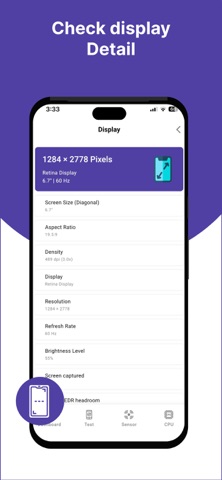
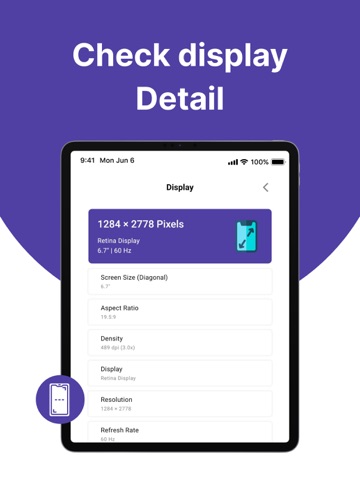
Device Info - Phone Info Discover everything about your iPhone or iPad with detailed hardware information, real-time system monitoring, and powerful diagnostic tools. Device Info - Phone Info helps you understand your device better by providing comprehensive insights into its hardware, system performance, sensors, battery, storage, and connectivity—all in one easy-to-use app. Perfect for tech enthusiasts, developers, students, repair technicians, and everyday users. • Memory usage and available memory • Device information Complete Device Information Access detailed information about your device: • Device model and system version • Screen size and resolution • Processor and hardware details • Camera specifications • Battery information • System details Sensors Explorer View information about available device sensors: • Accelerometer • Gyroscope • Magnetometer (Compass) • Motion sensors • Barometer (supported devices) • Additional sensors supported by your device Sensor availability varies by device model. Hardware Diagnostics Test important device components: • Display test • Touchscreen test • Speaker test • Audio test • Flashlight test Quickly verify that your device hardware is working properly. Battery Information Monitor important battery details: • Battery level • Charging status Easy-to-Use Dashboard Organized sections for quick access: Dashboard • Device • System • CPU • Memory • Storage • Sensors • Diagnostics • Network • Battery Everything you need in one clean and intuitive interface. Why Users Love Device Info - Phone Info • Easy and lightweight • Modern design • Useful for troubleshooting device issues • Helpful before buying or selling a device • Great for developers, students, and technicians • No technical knowledge required Download Device Info - Phone Info today and explore your iPhone or iPad with detailed hardware information, diagnostics, and system insights—all in one powerful app. Privacy Policy https://sites.google.com/view/device-info-app-privacy-policy/home Terms Of Usage https://sites.google.com/view/device-info-app-privacy-policy/terms-of-usage Contact Us https://sites.google.com/view/device-info-app-privacy-policy/contact-us
Audience growth
Ratings growth
Baseline captured. Growth appears after the crawler observes a changed rating count.
Momentum comes from crawler snapshots for the tracked storefront. “Viral growth signal” means unusually fast recent rating gains; it is an indicator, not download data.
Price tracking
Price intelligence
First snapshot captured. The trend line starts after the next crawler price observation.
- First observed Aug 19, 2026 · 1:04 AM Free
Screenshots