About this app
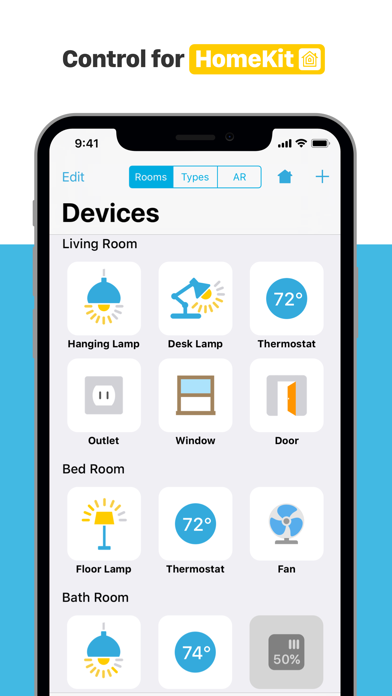
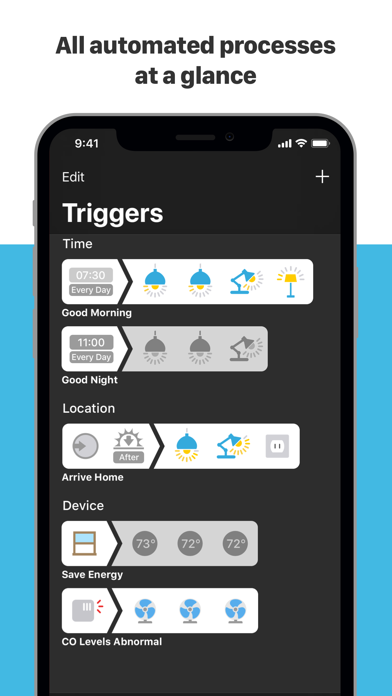
Devices is the Apple HomeKit app that lets you manage and control smart home devices quickly and intuitively. Each device is represented by a specific icon. There is no complicated menu structure – all devices are shown in an overview and can be sorted by room or device type. In addition, the app boasts smart features such as device groups, scenes and triggers. Features • Clarity – All devices at a glance • Usability – Intuitive control via icons • Independence – Cross-vendor support for all HomeKit devices • Groups – Operate multiple devices of the same category simultaneously • Scenes – Combine various devices into a scene to trigger them • Time Trigger – Execute scenes at specific times • Room Locator Trigger – Execute scenes when you get to rooms • Location Trigger – Execute scenes when you get to locations • Device Trigger – Execute scenes when a device is in a specific state • Search – Find devices fast the smart way • Synchronization – Automatic adjustment via your Apple iCloud account • Authorization – Grant trusted persons access via Apple iCloud • Remote access – Control devices from anywhere in the world • Security – Protection against access by unauthorized third parties • Settings – Separate settings prevent accidental modification during everyday use • Apple Watch – All devices always close at hand • IFTTT – Connect your LinkDesk Room Locator with IFTTT • AR for HomeKit – Control HomeKit devices using ARKit 2 System Requirements • Requires a device with iOS 11.0 or later • Requires at least one smart home device that is compatible with Apple HomeKit • For remote access, an Apple TV 4K, Apple TV (4th generation), Apple TV (3rd generation), or iPad is required For further information on the Devices app please visit: www.linkdesk.com We’re always happy to help. Please contact us if you have any questions or suggestions: info@linkdesk.com
Latest release
What’s New
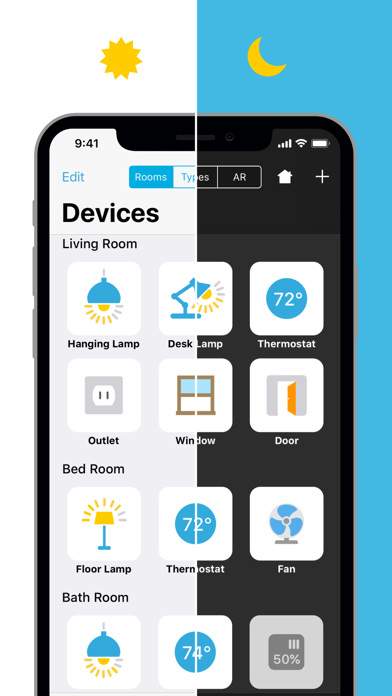
• Support for Dark Mode in iOS 13. • Additional minor bugfixes and improvements.
Audience growth
Ratings growth
Baseline captured. Growth appears after the crawler observes a changed rating count.
Momentum comes from crawler snapshots for the tracked storefront. “Viral growth signal” means unusually fast recent rating gains; it is an indicator, not download data.
Price tracking
Price intelligence
First snapshot captured. The trend line starts after the next crawler price observation.
- First observed Aug 21, 2026 · 1:56 AM Free
Screenshots