About this app
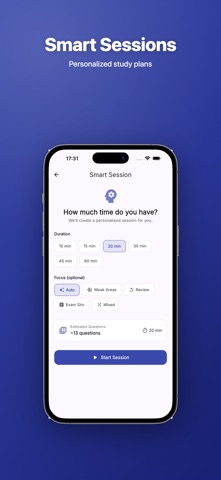
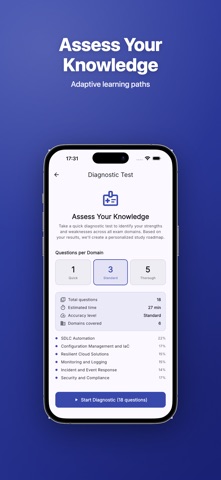
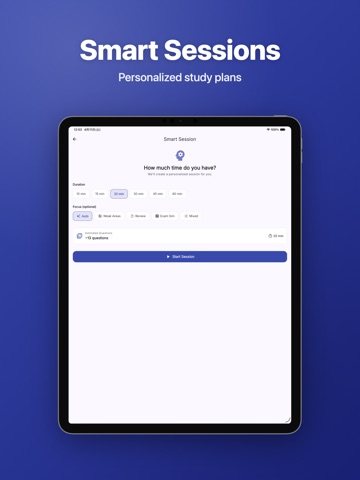
This application is an independent exam preparation resource and is not affiliated with, endorsed by, sponsored by, or associated with Amazon Web Services, Inc. (AWS) or any of its subsidiaries. DOP-C02 (AWS Certified DevOps Engineer - Professional) is a registered trademark of Amazon.com, Inc. Prepare confidently for the AWS Certified DevOps Engineer - Professional (DOP-C02) exam. DevOps Prep provides hundreds of carefully crafted practice questions covering all six exam domains. ◆ COMPREHENSIVE COVERAGE • practice sets covering all exam domains • SDLC Automation (22%) • Configuration Management and IaC (17%) • Resilient Cloud Solutions (15%) • Monitoring and Logging (15%) • Incident and Event Response (14%) • Security and Compliance (17%) ◆ REALISTIC EXAM EXPERIENCE • Timed practice mode simulating the 180-minute exam • Single and multiple-choice questions in exam format • Domain-weighted question distribution matching the real exam • Exam readiness score to track your progress ◆ SMART STUDY TOOLS • Detailed explanations with AWS services and best practices • Spaced-repetition flashcards powered by FSRS algorithm • Bookmarks for quick review • Personal notes on any question • Per-domain accuracy to identify weak areas • Shuffle mode for varied practice ◆ STUDY GUIDE • Complete guide covering all exam topics • CodePipeline, CodeBuild, CodeDeploy, CloudFormation, CDK • Auto Scaling, Elastic Beanstalk, ECS, EKS, Lambda • CloudWatch, X-Ray, EventBridge, Config, Systems Manager ◆ MULTILINGUAL • Available in English, Japanese, Korean, German, and Portuguese • Switch language anytime in settings ◆ PRIVACY & OFFLINE • Works completely offline — no internet required • Your progress stays on your device • No ads, no tracking Start with free practice sets. Unlock all sets with a one-time purchase — no subscription.
Latest release
What’s New
StudyKits 2.0 - our biggest update yet. Arena: a fast, timed combo quiz where you race the clock and beat your own best score. Coins and Power-Ups: earn coins as you study, then spend them on Hint, Time+, Skip, Freeze and Double in the Arena shop. Learning Path: a guided map that walks you step by step toward exam day. New bottom navigation: Study, Tests, Progress and Settings, all one tap away. Smarter home: a guided next-best-action that always shows what to do next, plus your live exam-readiness score. Refined design: cleaner, more consistent layouts, sharper icons, and full localization across every screen. Plus dozens of UX improvements and fixes. Happy studying!
Audience growth
Ratings growth
Baseline captured. Growth appears after the crawler observes a changed rating count.
Momentum comes from crawler snapshots for the tracked storefront. “Viral growth signal” means unusually fast recent rating gains; it is an indicator, not download data.
Price tracking
Price intelligence
First snapshot captured. The trend line starts after the next crawler price observation.
- First observed Aug 8, 2026 · 11:22 PM Free
Screenshots