About this app
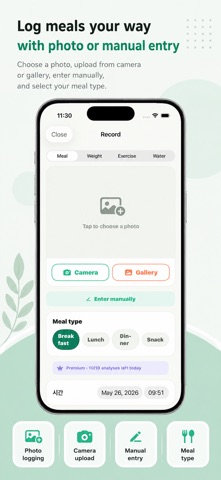
The easiest way to track your diet — it starts with a single photo. Searching and typing in every meal is tedious. With DietLens, just take a photo of your food and AI estimates the calories and macros (carbs, protein, fat), plus a quick tip to help you stay on track. ■ Estimate calories from a photo Snap your meal or pick one from your library, and AI identifies the food and estimates calories and nutrition. No tedious searching — one photo is all it takes. ■ "How do I burn this off?" — exercise equivalents DietLens converts the estimated calories into brisk walking, cycling, running, and strength training, so you instantly understand what a meal really costs. ■ Automatic step count & calories burned Using your iPhone's motion sensor, DietLens counts your steps automatically and calculates calories burned to show your daily calorie balance. No extra device needed. ■ Weight tracking with trend chart Enter your current and target weight to see your progress and trend at a glance. ■ Workout logging Log the type, intensity, and duration of your exercise, and calories burned are calculated automatically. ■ One unified diet journal Meals, weight, and workouts are organized in chronological order, making it easy to look back on your journey. ■ Profile & BMI Check your BMI from your height and weight to keep an eye on your health. ― Your privacy All of your records are stored on your device by default. Food photos you take are sent to Google for AI analysis. No account is required, and the app is supported by Google AdMob ads to keep it free. * Calorie and nutrition values provided by AI are estimates and may differ from actual values. They are not a substitute for medical advice. Start light, with a single photo.
Latest release
What’s New
- Meal tracking by breakfast, lunch, dinner, and snacks - AI weekly coaching based on your last 7 days - Weekly reports for nutrition, activity, and weight trends with sharing - Apple Health integration for steps, weight, and meal data - New Lock Screen widget - Meal reminders and quick add for frequently eaten foods - Improved AI photo analysis and fixes for English and Japanese display issues
Audience growth
Ratings growth
Baseline captured. Growth appears after the crawler observes a changed rating count.
Momentum comes from crawler snapshots for the tracked storefront. “Viral growth signal” means unusually fast recent rating gains; it is an indicator, not download data.
Price tracking
Price intelligence
First snapshot captured. The trend line starts after the next crawler price observation.
- First observed Aug 26, 2026 · 11:16 PM Free
Screenshots