About this app
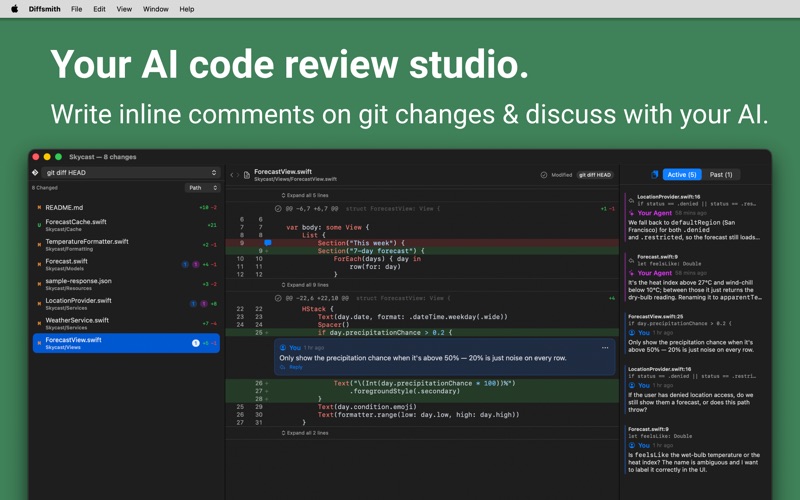
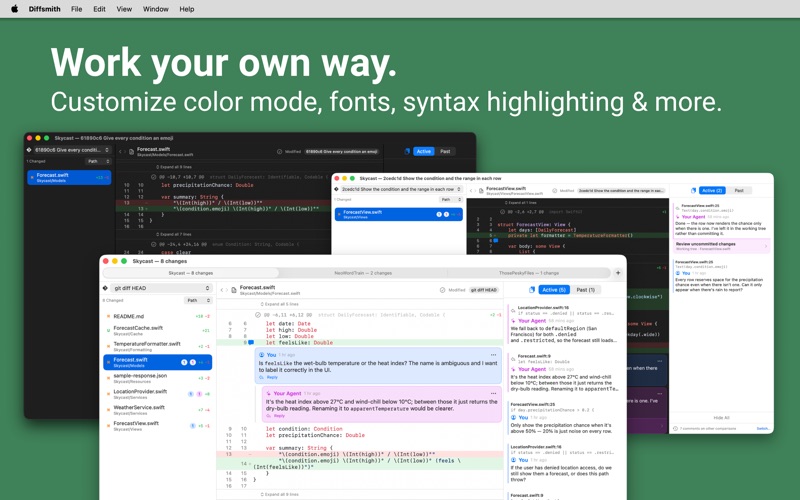
Diffsmith is a fast, native macOS studio for reviewing local git changes & commits made by your existing AI agent. You can use Diffsmith to leave inline comments, then hand them straight back to the AI as a perfectly-formatted prompt or let your AI agent read and reply to them via MCP. Open a repo, read the uncomitted diff or a past commit, drop notes on the exact lines that matter, and work with any AI assistant you already use to get a response or get the code changed. No more retyping file names and line numbers by hand. No more waiting for all changes to be completed before you type out review notes. REVIEW LIKE A PRO - Open one or more local git repositories from a folder picker. Everything stays on your Mac. - Browse changed files (modified, added, deleted, renamed, untracked) with per-file diff stats. - Syntax-highlighted diffs with side-by-side or inline layouts, expandable context, and a "hide whitespace" toggle. - Diff against HEAD, HEAD plus staged changes, a single commit, a range of commits or between two branches. - Mark hunks and files as read to collapse them; any change to that code brings them back automatically. - Live re-diffing as files change on disk. The view stays current without refreshing. COMMENT ON THE LINES THAT MATTER - Click any line to leave a comment anchored to that exact spot. - A persistent sidebar lists every comment; click to jump straight to the code. - Edit and delete freely, with intuitive keyboard shortcuts you already know. - Comments whose code has changed move to a Past Comments tab instead of silently disappearing. HAND IT BACK TO YOUR AI - One-click Copy Comments turns your notes into an AI-ready prompt, complete with code context. - Fully customizable prompt template with a live preview. - Working across several repos? Copy from the active repo, a specific repo, or all of them at once. LET YOUR AGENT CONNECT (optional) - Turn on the built-in local MCP server and your coding agent can read your comments and reply to them in-app (no copy/paste needed). - Loopback-only and off by default. Turn on or off at any time. - Agent comments are clearly distinguished from your own throughout the app. PRIVATE BY DESIGN - Fully sandboxed and native. No account, no cloud, no telemetry. - The app makes no outbound network calls. The only networking is the optional, local-only agent server you switch on yourself. WORK YOUR OWN WAY - Adjust code font sizes to suit your needs. - Use Light or Dark mode, or a mixture of both. - Select from 20+ syntax themes. - App tint color matches your macOS defaults. Diffsmith is a one time purchase for lifetime access.
Latest release
What’s New
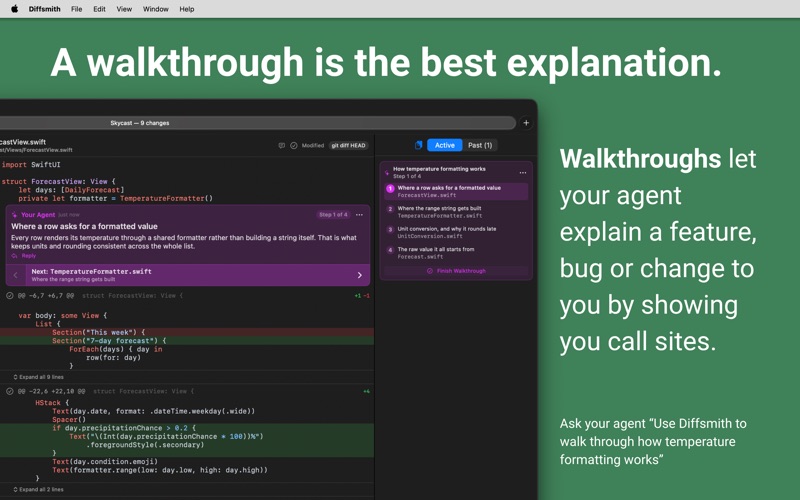
Introducing Walkthroughs! Ask your coding agent to walk you through a feature, a bug, or the change it just made, and it writes a numbered tour of the code into Diffsmith. Every step is a comment on a real line, in any file, at any commit, and you step through them one at a time. Requires the local MCP server, which is off by default. Image diffs are better too! A changed image now opens in a comparison view with four modes: side by side, overlay, swipe, and a pixel difference that rings the regions that actually changed. Both sides zoom and pan together, so you're always looking at the same corner. Also in this version - Comment on whole files, including non-code files - Comment text has its own size setting in Appearance, separate from the code font, and starts a little larger than before. - Code blocks in comments keep their line breaks, so a stack trace your agent pasted is readable. - New View menu item, Collapse Expanded Context (⌥⌘K). Expanded context also folds back when you switch comparison.
Audience growth
Ratings growth
Baseline captured. Growth appears after the crawler observes a changed rating count.
Momentum comes from crawler snapshots for the tracked storefront. “Viral growth signal” means unusually fast recent rating gains; it is an indicator, not download data.
Price tracking
Price intelligence
First snapshot captured. The trend line starts after the next crawler price observation.
- First observed Sep 6, 2026 · 5:47 PM $5.99
Screenshots