About this app
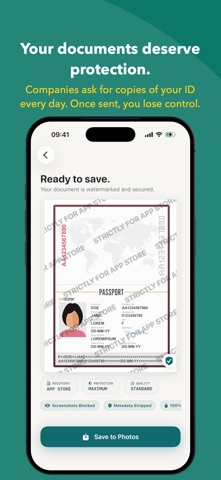
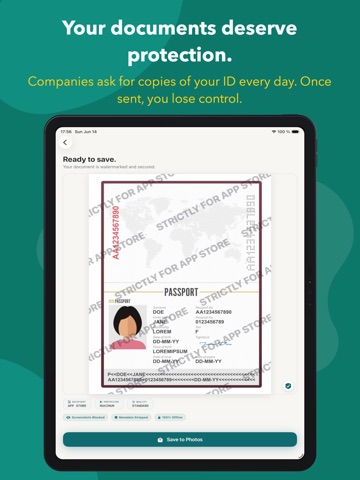
Protect sensitive documents before you share them. DocMark ID lets you add a personalized watermark and date to passports, ID cards, driving licences, contracts, bank statements, payslips, invoices and other confidential files before sending them to a company or institution. If that copy is ever leaked in a data breach, the watermark makes it much harder to reuse outside its intended purpose. The reality of sharing data Companies and online services routinely ask for copies of personal documents. Once you send a file, you often lose visibility over how it’s stored or protected. When systems are compromised, raw documents can be exposed and misused. How DocMark ID helps DocMark ID creates a recipient‑specific version of your document before you send it. Add the company name and date, apply a clear, repeated watermark, and export a safer copy intended only for that request. Key features * Smart watermarking: add recipient name, purpose and the current date. * Universal support: passports, IDs, licences, contracts, payslips, invoices, bank statements, and more. * Flexible import: take a secure photo, choose from Photos, or import from Files/iCloud Drive. * Local processing: watermarking happens on your device — no uploads, no cloud processing. * Share with confidence: export or share the protected version directly. Your documents, your control. Sharing confidential files shouldn’t mean giving up peace of mind. Use DocMark ID to add context directly onto the copy you send, so your documents remain tied to their intended use. Download DocMark ID and protect the documents you share.
Latest release
What’s New
Welcome to DocMark ID 2.0! In this update, I've polished the experience for users worldwide by adding full localization to all onboarding screens. Whether you are setting up the app in Spanish, Japanese, or any of our 14 supported languages, your first steps are now perfectly translated for a seamless start. Thank you for using DocMark ID to keep your documents secure, and for continuing to support an indie developer!
Audience growth
Ratings growth
Baseline captured. Growth appears after the crawler observes a changed rating count.
Momentum comes from crawler snapshots for the tracked storefront. “Viral growth signal” means unusually fast recent rating gains; it is an indicator, not download data.
Price tracking
Price intelligence
First snapshot captured. The trend line starts after the next crawler price observation.
- First observed Aug 19, 2026 · 7:38 PM Free
Screenshots