About this app
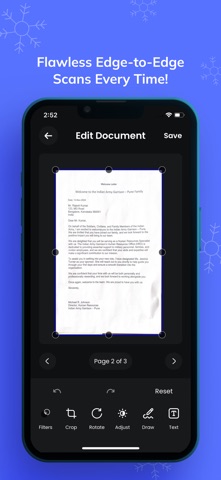
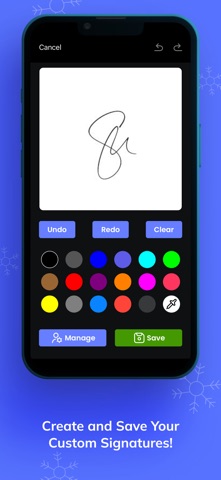
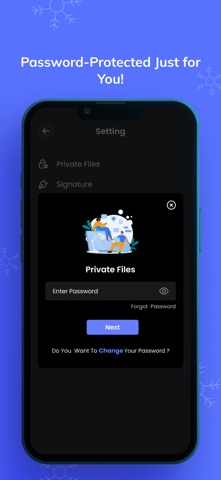
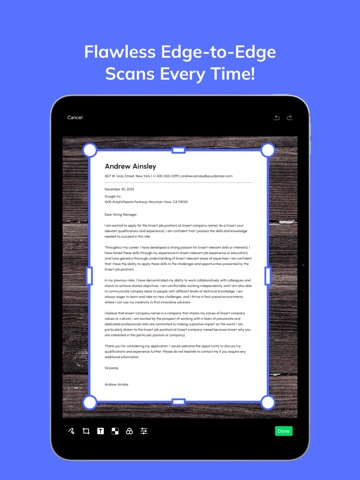
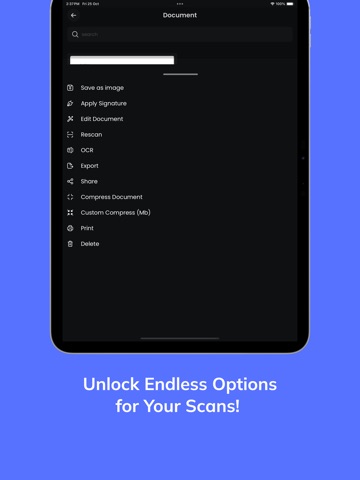
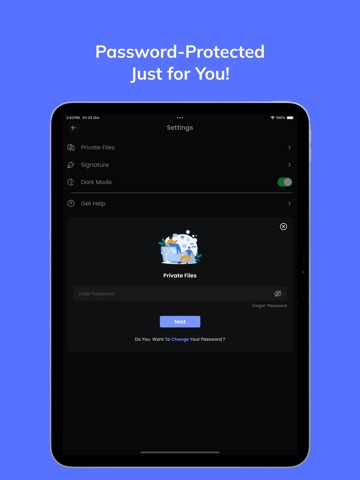
Turn Your Phone Into the Ultimate Document Scanner Tool for FREE Manage your documents effortlessly with our Document Scanner app. From scanning to sharing, this app provides all the tools you need to handle paperwork like a pro free of cost. You need to scan anything, our app has got you covered with smart, innovative features all unlocked. Scan Documents Like a Pro Anywhere * Capture flawless, high-resolution scans in seconds. * Smart Cropping: Automatically align edges for a clean, professional finish. * Add a personalized touch with Color Filters like Magic Enhance, Black & White, and Color. Effortless PDF Creation and File Management * Use the built-in PDF Maker to create multi-page PDFs in no time. * Digitize your files with Batch Scanning and organize them neatly in folders or subfolders. * Extract editable text from images instantly with the advanced OCR feature. * Resize/Compress PDFs and images without compromising quality, making them perfect for sharing or storing. Sign, Protect, and Share Your Files * Use the E Signature feature to sign documents digitally. * Protect sensitive documents with Private Files and password security. * Share files as PDFs or images via email, cloud platforms, or social apps. You can even print or fax them directly from the app. Why You’ll Love Our Document Scanner App * Scans are automatic and clear, with perfect results every time. * PDF generation is seamless, with options to edit and organize files easily. * The app includes Color Filters, compression tools, and file protection features for added convenience. * It’s perfect for scanning contracts, IDs, notes, receipts, or even personal keepsakes. Perfect for Any Occasion Whether you’re at home, office, or studying, this app adapts to your needs: * Work Smarter: Scan and share contracts, invoices, or reports effortlessly. * Study Better: Save notes, textbooks, and study materials for quick access. * Stay Organized: Keep all your documents safe and secure in one place. Download the Document Scanner App Today! Take control of your documents with a powerful tool that combines scanning, organizing, and sharing into one app. With advanced features like OCR, PDF Maker, E Signature, and more, our FREE Document Scanner app ensures your files are always accessible, secure, and easy to manage. Privacy Policy https://mobilions.nl/document-scanner/privacy-policy.html
Latest release
What’s New
Thank you for using Document Scanner! We’re excited to bring you the latest update, featuring performance enhancements for a faster and more efficient experience. Update now to enjoy the improved performance!
Audience growth
Ratings growth
Baseline captured. Growth appears after the crawler observes a changed rating count.
Momentum comes from crawler snapshots for the tracked storefront. “Viral growth signal” means unusually fast recent rating gains; it is an indicator, not download data.
Price tracking
Price intelligence
First snapshot captured. The trend line starts after the next crawler price observation.
- First observed Sep 18, 2026 · 10:09 PM Free
Screenshots