About this app
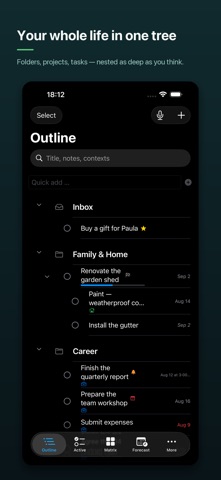
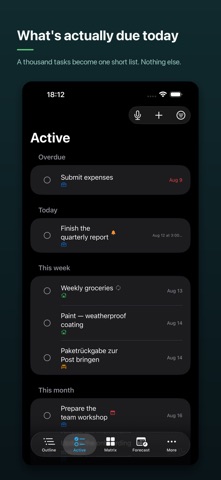
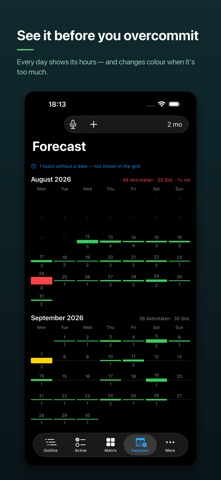
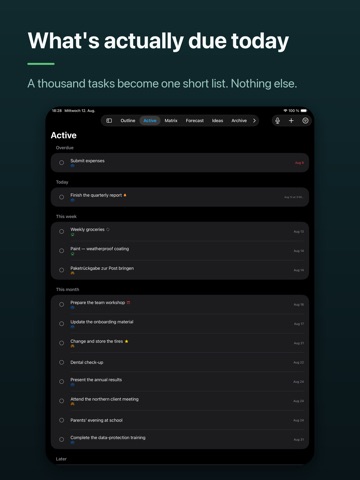
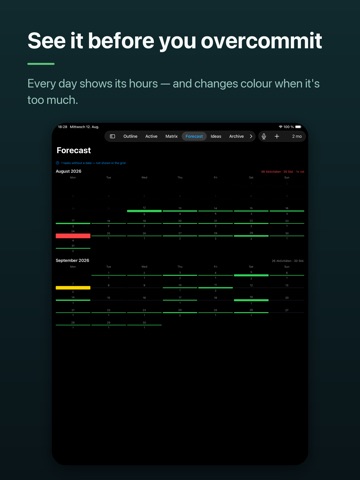
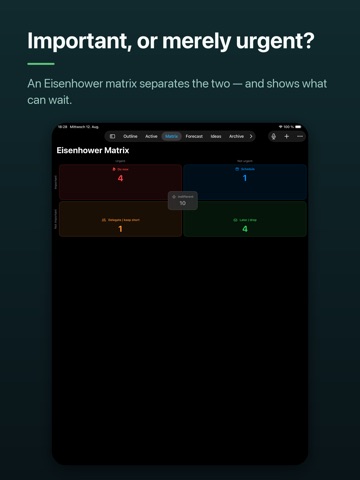
Most task apps flatten your life into a list. DoTree doesn't. Here you break a goal down as far as you actually think — from the big ambition to the next small step. Folders inside folders, like a file system. Everything draggable, like files. And when it's time to work, you never have to look at the tree: the Active view shows only what's due now. • A TREE, NOT A LIST: unlimited depth, projects with progress bars — weighted by effort if you want • WHAT'S ACTUALLY DUE: the Active view pulls today out of a thousand tasks, grouped by date or by priority • IMPORTANT, OR MERELY URGENT: an Eisenhower matrix separates the two — and shows what's allowed to wait • BEFORE YOU OVERCOMMIT: the Forecast adds up every day's hours and flags the ones where you've planned more than fits • SPEAK IT INSTEAD OF TYPING: say what's on your mind and DoTree turns it into a structured outline with dates and effort, on device, for you to review before anything is created • RECURRENCE THAT THINKS: fixed to a date even when things pile up, or starting over once you're done — weekdays, month days, multi-year rhythms • DATES THAT INHERIT: subtasks take start and due dates from above, with optional times • YOUR OWN ORDER: contexts with icons and colors, life areas, stars, and an idea store for everything that isn't a commitment yet • APPLE CALENDAR: task time spans appear as entries in dedicated DoTree calendars, and move along when your dates change • REMINDERS: push tasks to Apple Reminders and check them off on either side — done is done, everywhere • ATTACHMENTS: photos straight from the camera, voice notes, videos, files • BRING YOUR STUFF: import from MyLifeOrganized (XML), export everything as JSON whenever you like • EVERYWHERE YOU WORK: iPhone, iPad, and Mac — with a widget and optional Face ID lock YOUR DATA STAYS YOURS No account. No sign-up. No subscription, no ads, no analytics, no trackers. Your content lives on your device and syncs through your own private iCloud — we run no server and cannot read any of it. Dictation stays on your device by default, too. DoTree is free, and it stays free. Your plan. Your tree. Your data. DoTree is not affiliated with MyLifeOrganized.
Latest release
What’s New
A maintenance and polish release. • Counted labels now use the correct singular: “1 tasks without a date” has become “1 task without a date”, everywhere in the app. • Our privacy policy now describes voice capture as well: dictation is converted on your device by default, and switching to Apple's servers stays a deliberate choice in Settings. We also rebuilt how DoTree presents itself on the App Store — with images that finally show what sets it apart from a to-do list.
Audience growth
Ratings growth
Baseline captured. Growth appears after the crawler observes a changed rating count.
Momentum comes from crawler snapshots for the tracked storefront. “Viral growth signal” means unusually fast recent rating gains; it is an indicator, not download data.
Price tracking
Price intelligence
First snapshot captured. The trend line starts after the next crawler price observation.
- First observed Aug 26, 2026 · 5:44 PM Free
Screenshots