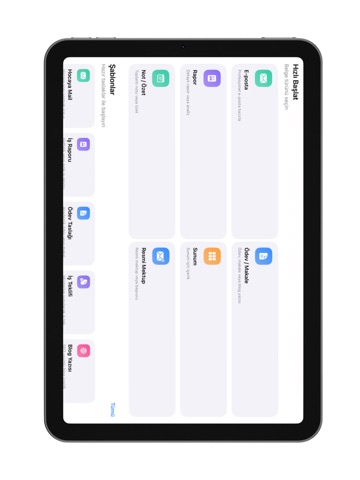
About this app
DraftDesk is a productivity app that transforms short notes and brief texts into professional emails, PDF reports, or formal documents with the power of artificial intelligence. All you need to do is write a few sentences. DraftDesk automatically adjusts the tone, language, and format of your content. Whether you need a professional business email, a meeting report, or a project summary, DraftDesk handles it for you. You can download the output as a PDF, share it, archive it, or edit it again whenever needed. Key Features • Convert short notes into professional emails or documents • AI-powered formatting with formal, friendly, or corporate tone options • Save, download, and share documents as PDF • Ready-to-use templates (email, report, summary, request letter, announcement) • Document archiving and access to history • Minimal, fast, and modern interface Use Cases • Business emails – requests, proposals, appointments, notifications • Creating PDF reports from notes • Project and study summaries • Presentation, announcement, or explanation texts • Turning daily writing into professional documents Why DraftDesk? • Eliminates the burden of drafting texts • Delivers professional tone and formatting • Saves significant time • Ideal for corporate use with PDF export support In short: Write your text – DraftDesk turns it into a PDF report, email, or document. Terms of Use (EULA): https://www.apple.com/legal/internet-services/itunes/dev/stdeula/ Terms of Use (EULA): https://www.apple.com/legal/internet-services/itunes/dev/stdeula/
Latest release
What’s New
• Redesigned and Modernized Diamond (Credits) Interface • Voice Notes Now Accessible from the Home Screen • Improved Voice Note Language Detection and Stability • Live Editing Support in Voice Note Preview • Updated NotlyRec Promotional Links and Visual Assets • Paywall Conversion and User Experience Enhancements • Fixed Blank PDF Output Issue on First Open • Refined PDF Titles and Template Text Content • Dynamic PDF Settings Panel for Title, Signature, and Address Selection • Dynamic PDF Color Themes (Blue, Orange, Green)
Audience growth
Ratings growth
Baseline captured. Growth appears after the crawler observes a changed rating count.
Momentum comes from crawler snapshots for the tracked storefront. “Viral growth signal” means unusually fast recent rating gains; it is an indicator, not download data.
Price tracking
Price intelligence
First snapshot captured. The trend line starts after the next crawler price observation.
- First observed Aug 8, 2026 · 10:19 PM Free
Screenshots