About this app
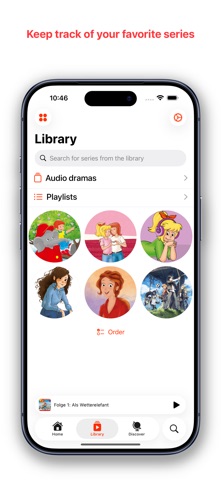
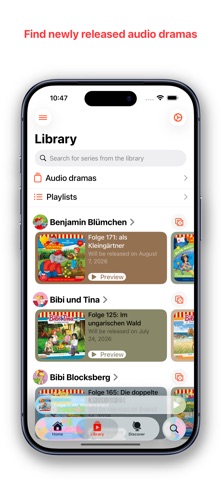
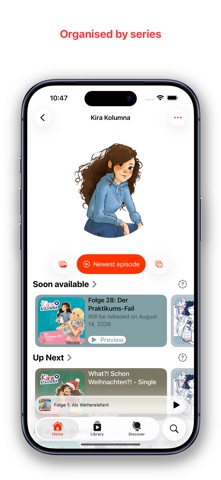
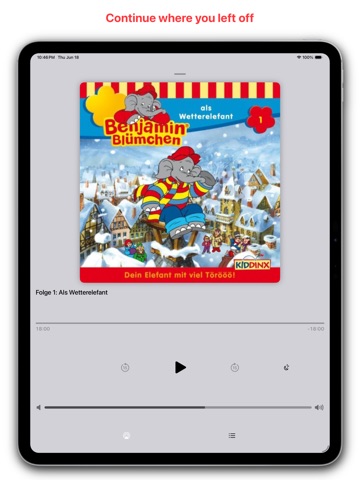
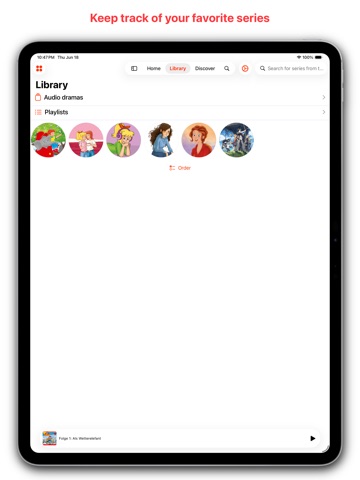
The easiest way to enjoy audio dramas on Apple Music. DramaPoint is designed specifically for audio drama lovers. With smart playback controls, personalized tracking, and discovery features, it makes listening effortless and immersive. Overview of free features: Optimized Playback: Seamlessly skip to the right scene—even across tracks. Resume Listening: DramaPoint remembers your progress so you can pick up right where you left off. Apple Music Integration: Instantly access all available audio dramas from Apple Music. Discover: Find new audio dramas and series that you might like Skip Intros & Outros: Automatically bypass repetitive sections. New Release Alerts: Get notified when new dramas drop. Random Play: Not sure what to listen to? Let DramaPoint choose for you. Episode Details: See chapters, descriptions, and narrator info. Statistics: Monthly summaries of your audio drama playbacks combined with interesting numbers Chronological Order: Episodes are sorted to follow the correct story flow. Listening History: Track which dramas you’ve heard and when. New Flags: Easily spot newly added audio dramas. Sleep Timer: Set it and drift off—playback will stop automatically. Widgets: Display your dramas right on your home screen. Playlists: Create and order your audio dramas in playlists Series: Replace the cover with a custom image of your own LiveActivity: Most important information on your lockscreen Unlock these features through In-App-Purchases: CarPlay: Search and find your next audio drama in CarPlay CSV-Export: Export your data to a CSV file App Icons: Choose an exclusive app icon for your Home Screen Smartskip: Skip unwanted parts like the intro music or the outro Nitpicky details: Many little settings and customizations to adapt the app for you Sleeptimer: Jump back to the point of falling asleep. Playlists: Create as many playlists as you like Privacy policy: https://fpst-08.github.io/HZPage/PrivacyPolicy.html Terms of service: https://fpst-08.github.io/HZPage/TermsOfService.html
Latest release
What’s New
This version fixes many small bugs that hopefully haven't been noticed yet. Should you encounter a problem or have an idea, please feel free to email me at dramapoint@icloud.com
Audience growth
Ratings growth
Baseline captured. Growth appears after the crawler observes a changed rating count.
Momentum comes from crawler snapshots for the tracked storefront. “Viral growth signal” means unusually fast recent rating gains; it is an indicator, not download data.
Price tracking
Price intelligence
First snapshot captured. The trend line starts after the next crawler price observation.
- First observed Aug 21, 2026 · 7:11 AM Free
Screenshots