About this app
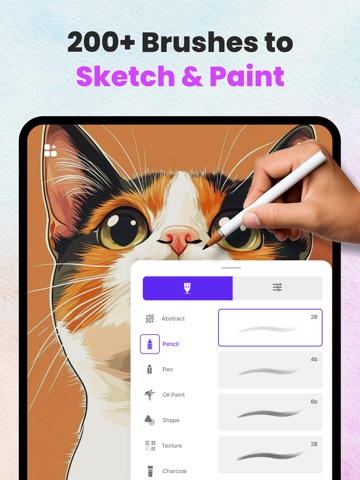
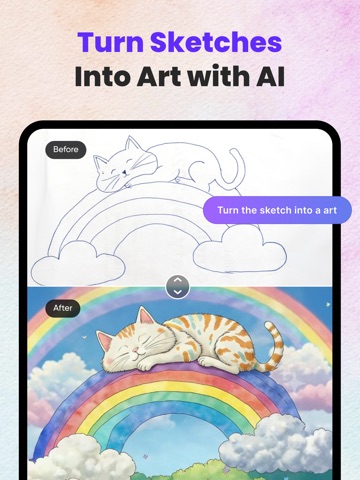
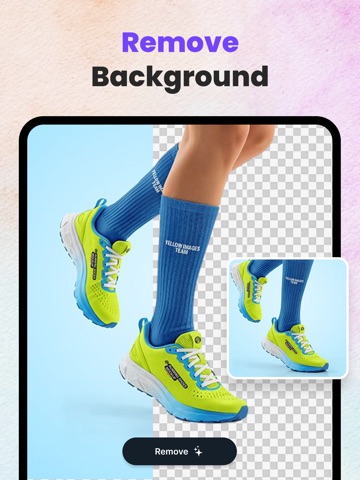
Drawing Pad – Sketch, Paint & Create with AI Drawing Pad is a powerful yet easy-to-use drawing and design app built for artists, designers, students, and creators of all skill levels. Whether you want to sketch ideas, paint digitally, or transform images using AI, Drawing Pad gives you everything in one creative workspace. Advanced Drawing Canvas: Create freely with a smooth, responsive drawing canvas designed for precision and performance. • Unlimited drawing canvas • Duplicate, delete, and merge canvases • Select and manage multiple canvases at once • Powerful Undo & Redo system for full control Organize your artwork effortlessly and focus on creativity instead of limitations. Professional Brush Collection: Choose from a rich collection of brushes designed for different art styles. • Pencil, pen, marker, paint, and creative brushes • Fully customizable brush size, opacity, and flow • Smooth strokes with realistic feel Perfect for sketching, painting, calligraphy, and digital illustration. AI-Powered Creative Tools: Take your artwork to the next level with smart AI features: • Remove Background – Instantly erase backgrounds from images • AI Text to Image – Turn your ideas into stunning visuals • AI Drawing to Image – Convert sketches into realistic images • Colorize Photo – Bring black & white photos to life • Remove Object – Cleanly remove unwanted objects • Replace Image – Swap image elements seamlessly • Expand Image – Extend image boundaries intelligently Professional results with just a few taps. Get Drawing Pad Premium: Unlimited access to all the premium features and daily content updates during the subscription period. The subscriptions are $4.99 per week with 1 week trial period, $9.99 Monthly and $29.99 yearly or equal to the same price tier as Apple App Store Matrix, determined as the equivalent of subscription price in $USD. You may cancel a subscription or free-trial anytime via the subscription setting through your iTunes account. This must be done 24 hours before the end of the free trial or subscription period to avoid being charged. The subscription will automatically renew unless auto-renew is turned off at least 24 hours before the end of the current period. No cancellation of the current subscription is allowed during the active subscription period. Any unused portion of a free trial period will be forfeited when the user purchases a Drawing Pad Unlimited subscription. Terms & Conditions : http://mubassher.me/DrawingDesk/terms.html Privacy Policy : http://mubassher.me/DrawingDesk/privacy.html We are always working on bringing new experiences to the app. Thanks to all our users for your love and support. With Love!!! Drawing Pad Team.
Latest release
What’s New
bug fixes and performance improvements.
Audience growth
Ratings growth
Baseline captured. Growth appears after the crawler observes a changed rating count.
Momentum comes from crawler snapshots for the tracked storefront. “Viral growth signal” means unusually fast recent rating gains; it is an indicator, not download data.
Price tracking
Price intelligence
First snapshot captured. The trend line starts after the next crawler price observation.
- First observed Sep 8, 2026 · 9:50 PM Free
Screenshots