About this app
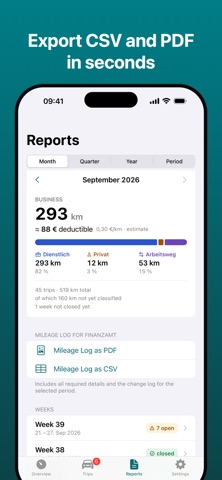
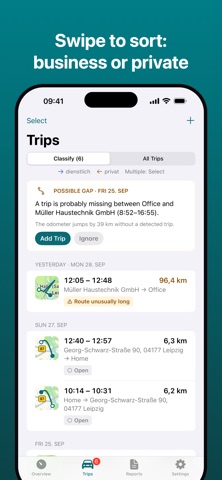
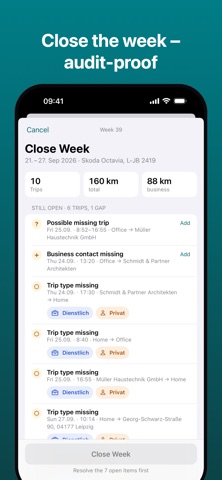
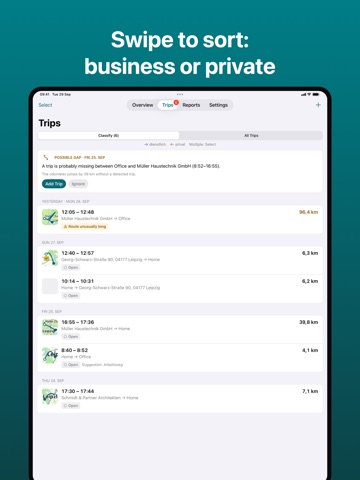
Driving Log: Mileage Tracker records every drive automatically – no account, no extra hardware and no trip limit. HOW IT WORKS • Automatic detection: the app notices when you drive and records start, destination, time and distance. • One swipe: right for business, left for personal – or classify many trips at once. • Rules save time: trips during your working hours or to saved places like the office and clients are filled in for you. • Start with a Shortcut: link trip start to CarPlay or your car's Bluetooth – no beacon needed. • Missing a trip? The app points out gaps and flags unusual routes. READY FOR TAX TIME • Every detail your mileage log needs: date, time, start and end address, odometer, purpose and client. • Close the week: incomplete trips are listed and later changes are logged transparently. • Export as PDF and CSV for your accountant or tax return. YOUR DATA STAYS YOURS • No account, no sign-up. • Your trips stay on your iPhone and sync through your own iCloud. • We only need "Always" location access for automatic detection – and we explain why before asking. • Export or delete all your data at any time. ALWAYS IN VIEW • Business miles this month and your estimated claim on the home screen. • Widgets and a Live Activity for the drive in progress. • Multiple vehicles with plate and odometer. PRO Automatic recording and classification are free with no limits. Pro adds PDF and CSV export, closing the week with a change log, rules and multiple vehicles. Pro is available as a monthly or yearly subscription with a free trial. The subscription renews automatically unless cancelled at least 24 hours before the end of the period in your Apple Account settings. Terms of Use (EULA): https://www.apple.com/legal/internet-services/itunes/dev/stdeula/ Privacy Policy: https://mileage.karaboga.dev/privacy
Latest release
What’s New
bug fixes
Audience growth
Ratings growth
Baseline captured. Growth appears after the crawler observes a changed rating count.
Momentum comes from crawler snapshots for the tracked storefront. “Viral growth signal” means unusually fast recent rating gains; it is an indicator, not download data.
Price tracking
Price intelligence
First snapshot captured. The trend line starts after the next crawler price observation.
- First observed Oct 12, 2026 · 3:57 PM Free
Screenshots