About this app
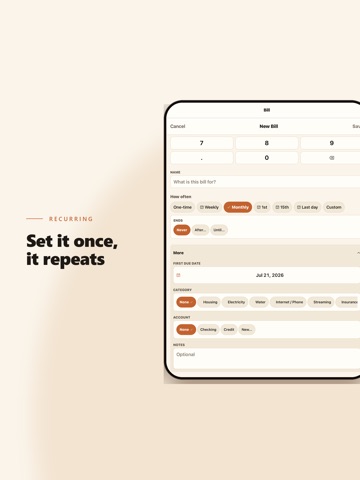
Dunly is a privacy-first bill reminder app that helps you stay on top of your payments without connecting to your bank or sharing your data. All your financial information stays on your device — encrypted, private, and yours. KEY FEATURES • Bill Tracking — Add recurring or one-time bills with due dates, amounts, categories, and currencies • Smart Reminders — Custom notification times, quiet hours, snooze options, and per-bill reminder settings • Bill Scanning (Pro) — Scan paper bills with your camera using on-device OCR • Calendar View — See all upcoming and past payments in a clean monthly calendar • Insights — Visual charts show spending trends, category breakdowns, and payment history • Gamification — Build streaks for on-time payments and unlock 68 achievements • CSV Import/Export — Free, always. Import existing bills or export your data anytime • Biometric Lock — Protect your data with Face ID or Touch ID • 15 Currencies — Including USD, EUR, GBP, COP, MXN, ARS, and more • 12 Categories — Organize bills with emoji icons and colors • Works Offline — No internet connection required. No account, no login, no tracking. DUNLY PRO Upgrade to Dunly Pro for unlimited bill scanning, advanced insights, and premium features. Three options: • Monthly subscription: $2.99/month • Annual subscription: $14.99/year • Lifetime purchase: $79.90 (one-time) CSV import and export are always free — never locked behind Pro. PRIVACY Dunly stores all data locally on your device using SQLite. No cloud sync, no servers, no third-party analytics. Your financial data never leaves your phone. Terms of Use: https://www.apple.com/legal/internet-services/itunes/dev/stdeula/
Latest release
What’s New
Apple Pay capture, fixed where it was confusing: • A captured payment that arrives with no merchant and no amount now tells you exactly that, and what to check in your Shortcuts automation — instead of showing "Amount not recognized:" followed by nothing. • Those empty captures no longer offer to file themselves as a nameless expense, and they no longer use up one of your free captures for the day. • A payment that arrives with a merchant but no amount says so in plain words. • The setup steps now spell out that Merchant and Amount must end up holding the Shortcut Input variable, and what it means if payments still arrive empty afterwards.
Audience growth
Ratings growth
Baseline captured. Growth appears after the crawler observes a changed rating count.
Momentum comes from crawler snapshots for the tracked storefront. “Viral growth signal” means unusually fast recent rating gains; it is an indicator, not download data.
Price tracking
Price intelligence
First snapshot captured. The trend line starts after the next crawler price observation.
- First observed Aug 24, 2026 · 8:53 AM Free
Screenshots