About this app
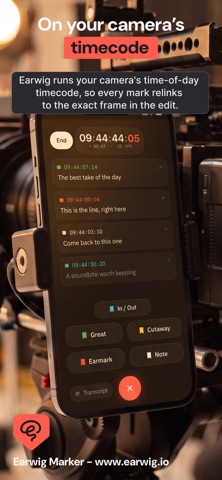
Highlight the great moments while you film. Find them the second you start editing. Earwig Marker is for filmmakers who shoot a lot and edit later. Tap, or just say the word, to highlight a great moment as it happens. Earwig transcribes what was said and drops a timecode-accurate marker. Back at your desk, those markers build themselves into a ready-to-edit timeline in DaVinci Resolve or Premiere Pro. THE PROBLEM You film for hours. The best line, the take you will use, the shot you will want later. Then it all vanishes onto a card, and finding it again eats the first day of every edit. HOW IT WORKS 1. Set up your buttons. One tap for a highlight, a great take, a cutaway, or make your own. 2. Film your day. Tap the moment something good happens, or set a keyword and say it out loud to mark hands-free. Hold In and Out to grab a whole clip and Earwig sums up what was said in it. 3. Open Earwig Sync on your Mac. Your markers build into a timeline in Resolve or Premiere, lined up to your footage, ready to cut. WHAT MAKES IT DIFFERENT Earwig transcribes as you film, so every marker carries the actual words that were said, not just a timecode. Name a speaker once and it sticks across the whole transcript. And Earwig Sync, the free Mac app, lines your markers up to your camera's own audio, so each one lands on the exact frame. You open your edit and the good bits are already found and laid out. That is hours of logging and searching gone. You start where you used to finish. WHO IT IS FOR Documentary makers, interviewers, podcasters, multicam and solo shooters. Anyone who films more than they can remember and edits in Resolve or Premiere. WHAT YOU GET - One tap, or your own voice, to highlight a moment while you film - Custom buttons and colours for takes, cutaways, great moments and more - In and Out to mark a clip, with a summary of what was said in it - Live transcription, so every marker carries the actual quote - Speaker names that carry across the whole transcript - Timecode-accurate markers, lined up to your footage - A free Mac app that builds your markers into a Resolve or Premiere timeline - No timecode box, no extra hardware - Works with the camera and editor you already use Built by a filmmaker who was tired of losing the best moment in the edit. Start your free trial. Highlight your next shoot and watch the edit come together before you have touched a clip. Earwig Sync is a free companion app for Mac. DaVinci Resolve and Premiere Pro are made by their respective owners and are not affiliated with Earwig. Subscription: Earwig Pro is GBP 9.99/month with a 7-day free trial. Your Apple Account is charged when the trial ends, and it renews monthly unless you cancel at least 24 hours before the period ends. Manage or cancel any time in your Apple Account settings. Terms of Use (EULA): https://www.apple.com/legal/internet-services/itunes/dev/stdeula/
Latest release
What’s New
- New setup screen: timecode, brief and questions in clean tap-to-open panels - Scan camera timecode: point your phone at the camera's display to sync automatically - Questions checklist while filming: your questions in big text, tap to tick each off - Suggest questions: AI fills out your question list for you - Match my questions: Earwig hears your planned questions being asked, ticks them off and drops a marker automatically - Post-shoot pickup report: reads the whole interview back like a producer and flags what is worth grabbing before your contributor leaves - Ranked pickups: most to least important, each with a plain reason why (thin answers, lines that will not cut on their own, people never introduced, threads worth expanding) - Per-question debrief: what they actually said, whether it is solid or thin, and a follow-up to draw it out - Record pickups: tick the ones you want and start a fresh Pickup session with them ready to go - Post-shoot summary and pickup check now on by default
Audience growth
Ratings growth
Baseline captured. Growth appears after the crawler observes a changed rating count.
Momentum comes from crawler snapshots for the tracked storefront. “Viral growth signal” means unusually fast recent rating gains; it is an indicator, not download data.
Price tracking
Price intelligence
First snapshot captured. The trend line starts after the next crawler price observation.
- First observed Aug 20, 2026 · 12:20 AM Free
Screenshots