About this app
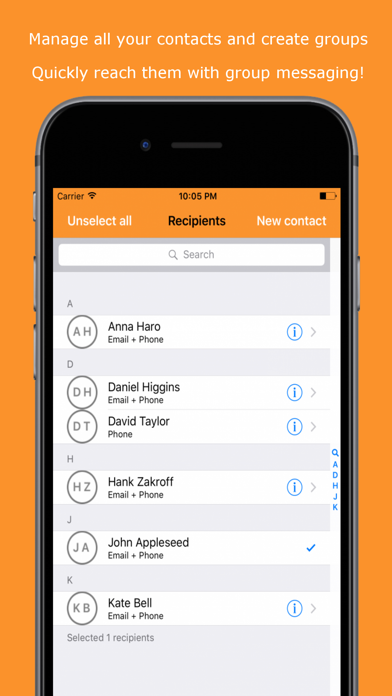
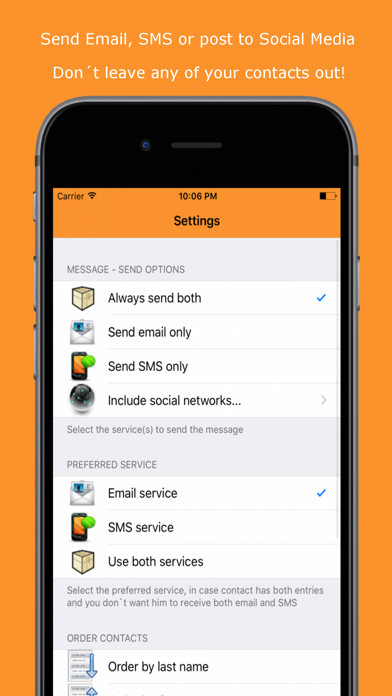
Easy Message LITE - Mass text And Bulk Group Messaging! Mass Email, SMS and Social Media in just one app, with just one message! ------------------------- KEY FEATURES ---------------------------------- - Powerful marketing tool for business or personal usage - One text message for all recipient types. Write just once! - Supports multiple messaging services (Email, Social media, SMS/MMS/iMessage) (Note that the text services are configured on your phone Settings > Messages) - Bulk texting to groups or individuals - Custom templates. Create and reuse messages! - Advanced settings for contacts and groups management! - Support for multiple image attachments! - Use multiple messaging services at once! - Includes birthday reminders! - Messages scheduler for later delivery! (via notifications) - Reach multiple recipient types (with different contact info on the address book) at once: You can write just 1 message and send it to a group or individuals, even if some are email contacts, other phone numbers, both, etc, depending on the app settings. Just select "Use both services" on the app settings and the app will know how to reach them all. - Import of iCloud groups - Dark mode support - Unlimited messages * - Quick recipients selection mode and group management - Easily create/update/delete contacts, groups and template messages - Useful help tooltips - Available FAQ & Video Tutorial (English only) ----------------------------- HOW IT WORKS---------------------------------- Send messages to groups or everyone you know, typing the message just once. Reach all your contacts by Email, SMS/MMS/iMessage, and/or post to social networks (Twitter, Facebook & LinkedIn) at the same time, at once. No need to write separate messages or use different software/media. Just confirm and send! Use built-in common messages or create custom ones. Archive them for future usage if you're lazy. Manage your contacts and create custom groups to speedup messaging. Easy Message is even clever enough to know how each contact should be reached Add recipients to you message just by selecting them Create new groups or update existing ones, just by selecting multiple contacts ----------------------- REQUIREMENTS ---------------------- This app requires IOS 9 or later. ------------------------- NOTES ------------------------------- Note: On iPad you can only send messages via Email or iMessage (since SMS/MMS is not available on iPad devices due to the lack of a SIM card) * On phones, if you want undisclosed recipients and not a group text you must use plain SMS (these services must be configured on your phone Settings -> Messages). When doing this, remember that some mobile operators might limit the number of your recipients, and having too many recipients may cause failure in your recipients receiving your messages. In addition, always make sure your selected recipients have valid phone numbers. ------------------------------------------------------------- FAQ (English only) available here: https://pcdreamsapps.wixsite.com/easymessage/faq Good looking icons by: Glyphish, glyphish.com CrazEriC, http://crazeric.deviantart.com/ Lenka Meleakova, http://www.profimagazin.cz Visual Pharm, http://www.visualpharm.com Zen Nikki - http://zen-nikki.deviantart.com/
Latest release
What’s New
small improvements
Audience growth
Ratings growth
Baseline captured. Growth appears after the crawler observes a changed rating count.
Momentum comes from crawler snapshots for the tracked storefront. “Viral growth signal” means unusually fast recent rating gains; it is an indicator, not download data.
Price tracking
Price intelligence
First snapshot captured. The trend line starts after the next crawler price observation.
- First observed Sep 12, 2026 · 4:57 AM Free
Screenshots