About this app
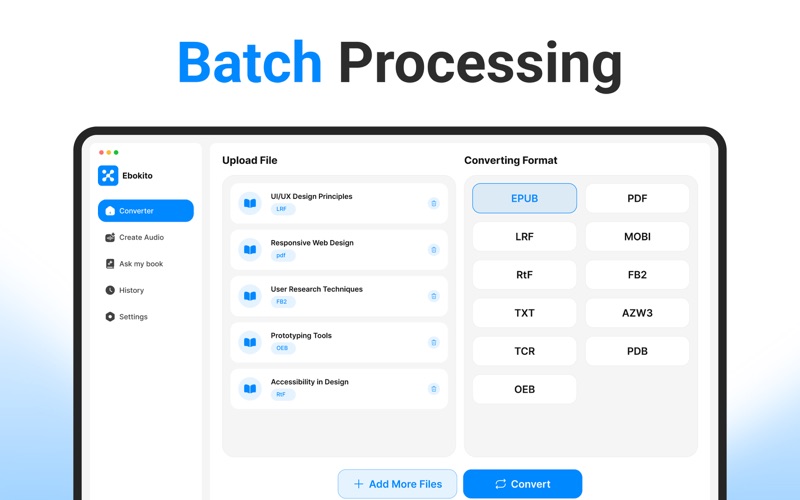
Ebokite – Smart eBook Converter & Reading Assistant Transform the way you manage, convert, and interact with your digital books. Ebokite is a powerful and easy-to-use app designed for readers, students, professionals, researchers, and authors who work with eBooks and documents every day. Whether you need to convert files into different eBook formats, listen to your documents, ask questions about your content, or review your previous activity, Ebokite provides everything in one organized workspace. With a clean interface and reliable conversion tools, Ebokite helps you save time while making your documents more accessible and easier to use. Key Features 1. Powerful eBook Converter Convert your documents and eBooks into a wide range of popular formats with just a few clicks. Whether you're preparing files for different devices or creating compatible versions of your documents, Ebokite makes the process simple. Supported output formats include: • EPUB • PDF • MOBI • AZW3 • FB2 • LRF • LIT • TXT • TCR • PDB • And many more supported formats. 2. Create Audio Prefer listening instead of reading? Ebokite can transform supported documents into spoken audio, making it easier to enjoy your content while commuting, exercising, or multitasking. Simply upload your supported document or eBook, generate audio, and listen whenever it's convenient. This feature is useful for: • Books • PDFs • Study notes • Research papers • Manuals • Articles • Other supported document types 3. Ask My Book Go beyond reading by interacting with your documents. Upload a supported book or document and ask questions based on its contents. This feature helps you quickly explore information without manually searching through every page. Examples of what you can do: • Find important topics • Get explanations from your uploaded content • Review chapters more efficiently • Locate specific information • Understand lengthy documents faster This feature is designed to help users navigate and understand their own uploaded documents more efficiently. 4. History Keep track of your previous activity in one convenient place. The History section allows you to review your recent work, making it easier to revisit previous conversions, audio generation tasks, and document interactions without starting over. Ebokite is suitable for: Why Choose Ebokite? • Clean and intuitive interface • Fast document conversion • Multiple popular eBook formats • Audio creation for supported documents • Interactive document questions • Organized activity history • Suitable for personal, educational, and professional workflows • Designed for ease of use Additional Purchases Required Ebokite follows a freemium model. Users can use the app for 3 free attempts. After that, they may activate a 3-day free trial or purchase a premium subscription. During the 3-day free trial, users can use the app without any restrictions. After the free trial ends, the subscription will be automatically charged unless canceled. Users may choose from weekly, monthly, or annual subscription plans to gain full access for the duration of their subscription: Subscription Plans: • Weekly Plan: $5.99 • Monthly Plan: $12.99 with 3 days free trial • Yearly Plan: $99.99 Payment will be charged to your iTunes account upon purchase confirmation and will automatically renew at the selected duration and price unless auto-renewal is turned off at least 24 hours before the end of the current period. You cannot cancel the current subscription during the active period. However, you can manage your subscription and turn off auto-renewal in your Apple Account Settings after purchase. Premium users benefit from faster results, an uninterrupted experience, and unlimited usage. Privacy Policy: https://sites.google.com/view/moniba-jamil/privacy-policy Terms of Use: https://sites.google.com/view/moniba-jamil/terms-of-use EULA: https://sites.google.com/view/moniba-jamil/end-user-license-agreement
Audience growth
Ratings growth
Baseline captured. Growth appears after the crawler observes a changed rating count.
Momentum comes from crawler snapshots for the tracked storefront. “Viral growth signal” means unusually fast recent rating gains; it is an indicator, not download data.
Price tracking
Price intelligence
First snapshot captured. The trend line starts after the next crawler price observation.
- First observed Aug 8, 2026 · 9:59 PM Free
Screenshots