About this app
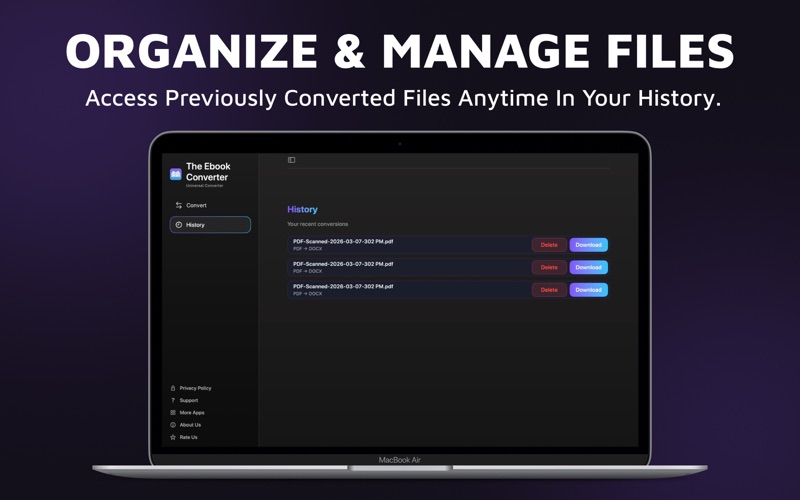
The Ebook Converter-EPUB to PDF is a powerful and easy to use designed to help you quickly convert your ebooks into multiple popular formats. Whether you want to read your books on different devices, share documents, or organize your digital library, this tool makes ebook conversion simple, fast, and efficient. With a modern interface and seamless performance on macOS, the app allows you to convert ebooks within seconds without complicated steps. Simply upload your file, choose the desired output format, and let the converter handle the rest. Perfect for readers, students, writers, publishers, and professionals who work with digital books regularly, Ebook Converter ensures that your ebooks remain accessible across multiple devices and platforms. Fast & Reliable Ebook Conversion Converting ebooks between formats can often be complicated and time-consuming. Ebook Converter simplifies the entire process with a streamlined workflow that requires only a few clicks. Drag and drop your file or browse from your Mac to start converting instantly. The application supports a wide range of popular ebook formats, making it an all-in-one solution for managing and converting digital reading materials. Supported Ebook Formats Convert your ebooks easily between the most widely used formats: • EPUB – The most popular ebook format used by many readers and devices • PDF – Ideal for sharing and printing documents • MOBI – Commonly used for Kindle devices • LRF – Sony Reader compatible ebook format • TXT – Simple text format for universal compatibility • FB2 – FictionBook format widely used for digital libraries This flexibility allows you to convert your ebooks for compatibility with different reading platforms and devices. Simple Drag & Drop Interface The app provides an intuitive conversion workspace where you can simply: Upload your ebook file Select the desired output format Convert instantly The minimal design ensures a smooth user experience without unnecessary complexity. Import Files Directly from Your Mac Ebook Converter allows you to easily import files from multiple locations on your Mac, including: • Local files stored on your device • Documents from Finder • Files from your photo or file libraries • Cloud-stored documents This ensures that your ebooks can be accessed and converted quickly without extra steps. Conversion History Never lose track of your previously converted files. The built-in conversion history feature allows you to quickly view and access your past conversions, helping you stay organized and manage your digital library more effectively. Terms & Conditions https://labelmakerandcreator.blogspot.com/p/terms-conditions.html Privacy Policy https://labelmakerandcreator.blogspot.com/p/privacy-policy.html
Latest release
What’s New
New update available! We've made several improvements to enhance your app experience, including bug fixes and performance upgrades.
Audience growth
Ratings growth
Baseline captured. Growth appears after the crawler observes a changed rating count.
Momentum comes from crawler snapshots for the tracked storefront. “Viral growth signal” means unusually fast recent rating gains; it is an indicator, not download data.
Price tracking
Price intelligence
First snapshot captured. The trend line starts after the next crawler price observation.
- First observed Aug 8, 2026 · 3:08 PM Free
Screenshots