About this app
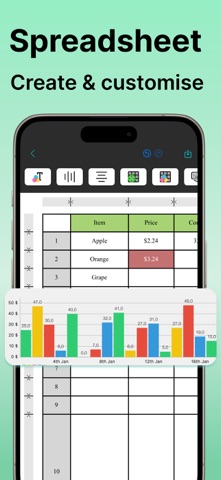
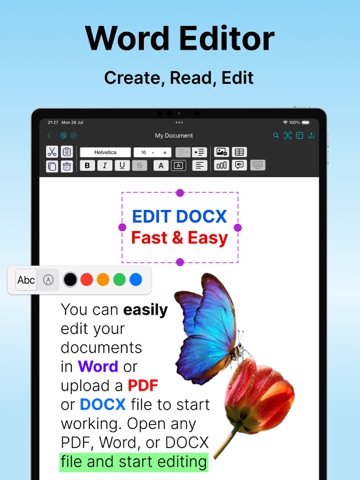
Take your productivity to the next level with OffiX — the ultimate all-in-one tool for document editing and management. Whether you need to create a new document, edit existing files, or convert documents into various formats, OffiX has got you covered! Key Features (Available with Subscription): WORD DOCUMENT EDITOR Create, edit, and format Word documents with rich text customization. MATH FORMULAS Easily create complex mathematical expressions in Word documents. SPREADSHEET & CHARTS Build, edit, and visualize data with integrated spreadsheets and dynamic charts. PDF TOOLS Convert Word documents to PDF, merge multiple PDFs, add watermarks, and even convert PDFs to text or images. OCR (Optical Character Recognition) Extract and edit text from scanned documents and images. IMAGE EDITING Apply filters, transform images, and enhance visuals directly within the app. SCANNING & SIGNATURES Scan physical documents, add digital signatures, and save them as PDFs. FILE COMPRESSION & ARCHIVING Organize your files by compressing them into ZIP archives. CLOUD INTEGRATION Seamlessly share and save your documents with Google Drive. Why Choose OffiX? With an intuitive interface and powerful features, Office X is designed to simplify your workflow and supercharge your productivity. Whether you’re a student, a professional, or anyone in between, this app makes handling documents a breeze. Download OffiX today and transform the way you work with documents! Start your free trial and experience the benefits of editing documents, anytime, anywhere. Subscription options: $6.99/week, $29.99/year. These prices are for US. Pricing in other countries may vary and actual charges may be converted to your local currency depending on the country of residence. The subscription will automatically renew unless turned off in your iTunes Account Settings at least 24 hours before the current period ends. You can go to your iTunes Account settings to manage your subscription and turn off auto-renew. Your iTunes Account will be charged when the purchase is confirmed. If you subscribe before your free trial ends, the rest of your free trial period will be forfeited as soon as your purchase is confirmed. OffiX is an independent application and is not affiliated with, endorsed by, or in any way officially connected to Microsoft Corporation. Microsoft Word, Excel, and other Microsoft products are trademarks or registered trademarks of Microsoft Corporation. OffiX simply provides tools to view, edit, and manage documents compatible with DOCX and other common formats. Terms: https://sites.google.com/view/paperwork-terms-and-conditions/ Privacy: https://sites.google.com/view/paperwork-privacy-policy/
Latest release
What’s New
Updated UX; Fixed issues;
Audience growth
Ratings growth
Momentum comes from crawler snapshots for the tracked storefront. “Viral growth signal” means unusually fast recent rating gains; it is an indicator, not download data.
Price tracking
Price intelligence
- First observed Aug 21, 2026 · 3:38 AM Free
Screenshots