About this app
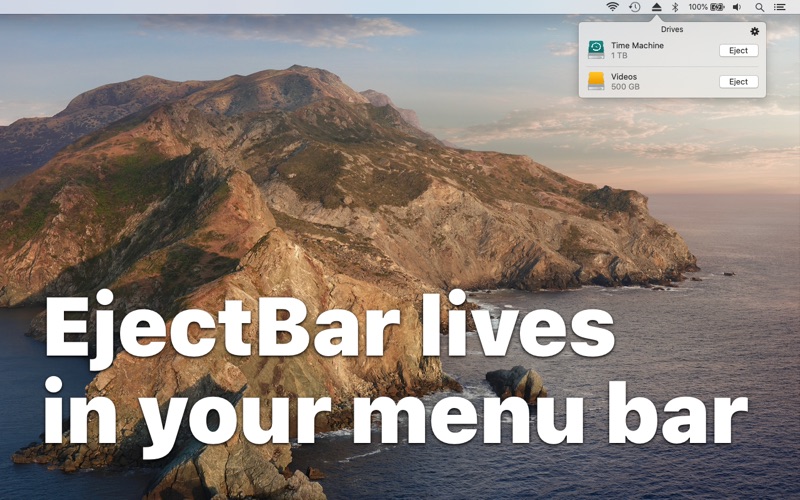
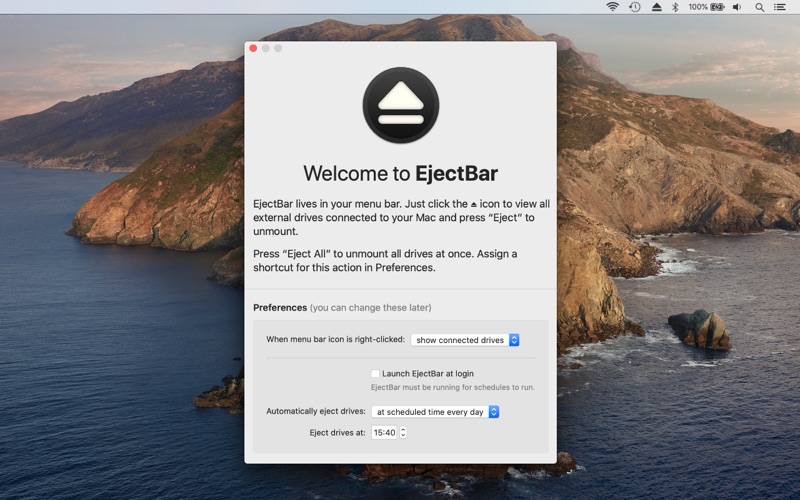
Disconnect drives fast, from anywhere on your Mac. EjectBar lives in your Mac menu bar. Click to reveal a list of all connected drives. Right-click on the icon to eject all drives at once. At the end of the day, you have to remember to eject any drives connected to your Mac before unplugging. With Ejector for Mac, you don't have to remember. Make "Disk Not Ejected Properly" errors a thing of the past. Set a schedule in Preferences and EjectBar can automatically eject your drives, at your chosen time of day. EjectBar is designed to be discreet with a simple monochrome menu bar icon. It even dims when no drives are connected. EjectBar is designed to be lightweight and secure. And it fits right in with light and dark system themes. EjectBar: disconnect drives fast.
Latest release
What’s New
When using the right-click shortcut, the menu now automatically dismisses when drives eject successfully.
Audience growth
Ratings growth
Baseline captured. Growth appears after the crawler observes a changed rating count.
Momentum comes from crawler snapshots for the tracked storefront. “Viral growth signal” means unusually fast recent rating gains; it is an indicator, not download data.
Price tracking
Price intelligence
First snapshot captured. The trend line starts after the next crawler price observation.
- First observed Aug 23, 2026 · 5:06 AM $1.99
Screenshots