About this app
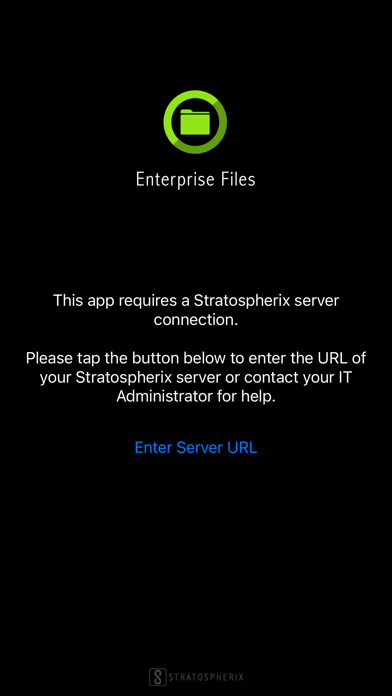
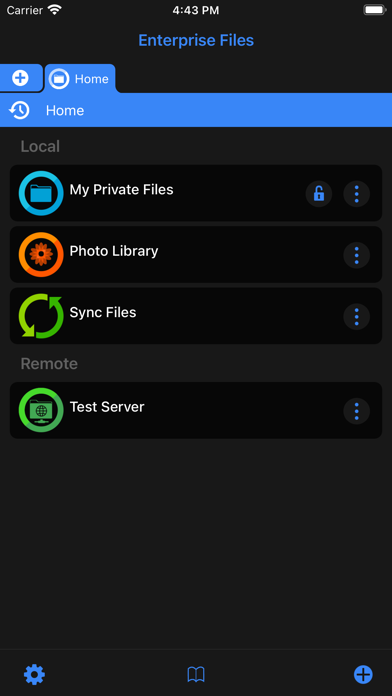
The Enterprise Files app works with a Stratospherix Configuration Server to provide secure network document access. With unparalleled connectivity and configuration options, Enterprise Files can be used to seamlessly integrate enterprise storage into the iOS workflow, supporting on-premise storage, cloud and SharePoint. Enterprise Files integrates fully with Microsoft Office and iWork apps to keep documents on the network. Your mobile users can now use the same workflow familiar to laptop and desktop users. Whether it’s PDF annotation, video, audio or image presentations, folder management or document review and edit, Enterprise Files is the ideal tool for the task. The security of your data is paramount and in conjunction with the Stratospherix Configuration Server, the Enterprise Files app provides invaluable features such as: * Per App VPN support to protect data on the move. * Data Loss Prevention settings to protect data at the endpoint. Use these features in conjunction with the impressive array of configuration options to ensure that mobile document access checks all the boxes in your corporate security policy.
Latest release
What’s New
New Features * Thumbnails are now generated for PSD and PSB files. * GPS info can now be removed from a photo. * HDR images are now rendered at full dynamic range. * It is now easier to export task log files. * Bulk rename format text now has a history list. * The current tab can now be duplicated. * Improved audio player UI. * Improved image viewer UI. * Improved Bookmarks popup UI. * The image viewer can now optionally avoid the dynamic island. * Added support for JFIF images. * File Sharing extension now offers recent folders to save to. * Thumbnails are now generated for office documents. * Improved workflow when editing Markdown documents. * Improved long filename display in grid mode. * Improved the image viewer swipe to dismiss feature. * New tabs are now added to the right of the active tab. * Sort By Name now uses the same sort mode as Finder. * Added Properties menu to video viewer. * Image Viewer's property panel now persists across image swipes. * Added support for more Markdown formatting. * Empty folders are now reported as such. Bug Fixes * Improved message when removing an image from a Photo Library album. * Fixed Favorites list sometimes not working in the Files App. * Fixed the document scanner for long narrow documents. * Reduced screen-update motion when changing the Use Trash option. * Fixed OneDrive for Business 'Shared With Me' listing. * Fixed FTP listing showing wrong size for files > 2GB. * Fixed case-sensitivity issue when saving to a XMP file. * Fixed glitchy slideshow image transitions. * Improved renaming of folders with leading dot characters. * Fixed loading of large images not completing. * Improved unzipping archives containing non ASCII filenames. * Improved performance of listing large folders.
Audience growth
Ratings growth
Baseline captured. Growth appears after the crawler observes a changed rating count.
Momentum comes from crawler snapshots for the tracked storefront. “Viral growth signal” means unusually fast recent rating gains; it is an indicator, not download data.
Price tracking
Price intelligence
First snapshot captured. The trend line starts after the next crawler price observation.
- First observed Sep 2, 2026 · 9:06 PM Free
Screenshots