About this app
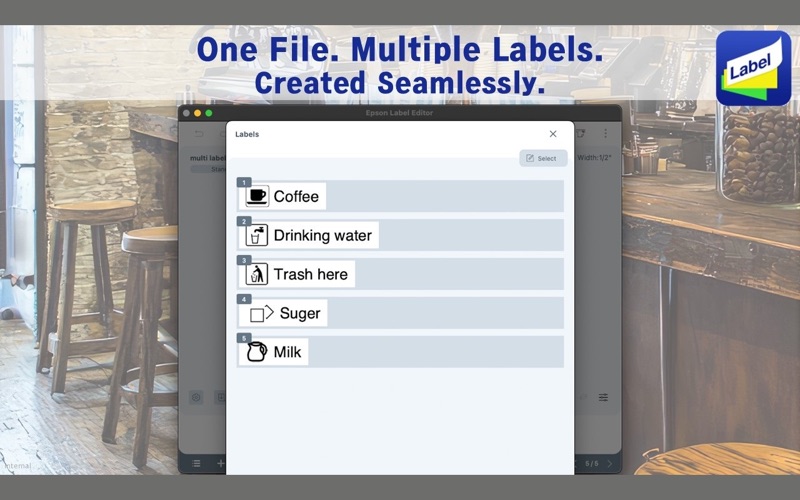
Create your favorite label designs with rich editing features, flexible layout options, and complete freedom to design exactly the way you want—at home or in the office. Epson Label Editor is powerful and easy-to-use software designed specifically for Mac users that lets you design and print labels with compatible Epson LabelWorks printers. Key Features Easy to Use - No driver installation required for printer connection - Create Mixed Length labels to print all your required labels at one time Intuitive and Flexible Label Design - Insert symbols, frames, images, and illustrations - Quick and easy label creation using our built-in label design library (continuously expanding) Advanced Business-Ready Tools - Generate barcodes and QR codes - Import data from spreadsheets (CSV file) for bulk label creation - Insert tables up to 5 rows × 5 columns - Create serialized labels easily with our sequential numbering feature Check Supported Devices https://support.epson.net/appinfo/lemc/list/ *For more information about Epson Label Editor and LabelWorks solutions, please visit our official website
Latest release
What’s New
Minor bug fixes and other updates implemented
Audience growth
Ratings growth
Baseline captured. Growth appears after the crawler observes a changed rating count.
Momentum comes from crawler snapshots for the tracked storefront. “Viral growth signal” means unusually fast recent rating gains; it is an indicator, not download data.
Price tracking
Price intelligence
First snapshot captured. The trend line starts after the next crawler price observation.
- First observed Aug 10, 2026 · 6:07 PM Free
Screenshots