About this app
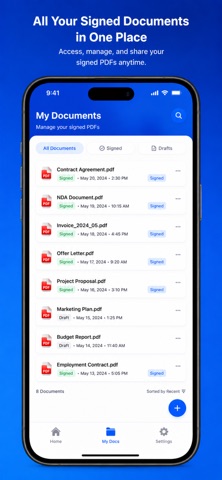
eSign: PDF Signature & Docs Sign, edit, and manage your PDF documents anytime, anywhere with eSign: PDF Signature & Docs — the easiest way to add secure digital signatures on your iPhone or iPad. Whether you're signing contracts, filling forms, or sharing important documents, eSign makes the process fast, simple, and completely paperless. # Key Features # Add Signature to PDF Draw, create, or import your signature and apply it to any PDF instantly. # Open & Manage Documents Import PDF files from your device, Files app, or other apps with ease. # Secure & Private Your documents stay on your device. No data is uploaded to external servers. # Save Signed PDFs Store all your signed documents safely in one place for quick access anytime. # Share Anywhere Send signed PDFs via WhatsApp, Email, or any app in just one tap. # Fast & Easy Workflow Sign documents in seconds with a smooth, user-friendly interface. # Perfect For * Business contracts * Legal documents * Freelancers & professionals * Students & personal use # Why Choose eSign? * No printing or scanning needed * Save time and go paperless * Clean, modern iOS design * Lightweight & fast performance Download eSign: PDF Signature & Docs today and simplify your document signing process! esign,pdf signature,sign pdf,document signer,fill pdf,signature app,edit pdf,scan sign,docs. Privacy : https://www.freeprivacypolicy.com/live/34d67eb4-06a9-4e00-9e22-9ac510006900
Latest release
What’s New
*Sign Document PDF* - This update include performance improvement - Fixed minor bugs
Audience growth
Ratings growth
Baseline captured. Growth appears after the crawler observes a changed rating count.
Momentum comes from crawler snapshots for the tracked storefront. “Viral growth signal” means unusually fast recent rating gains; it is an indicator, not download data.
Price tracking
Price intelligence
First snapshot captured. The trend line starts after the next crawler price observation.
- First observed Aug 27, 2026 · 6:37 AM Free
Screenshots