About this app
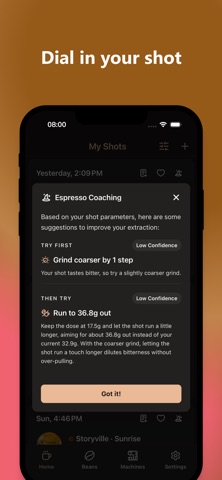
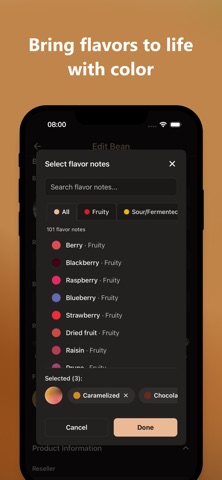
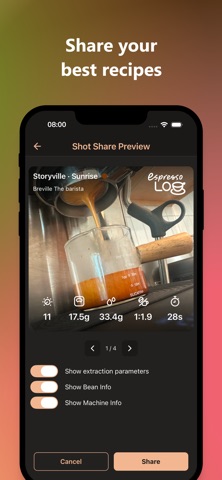
Dialing in a new coffee often means starting from scratch. After several test shots, you finally find a recipe that tastes great. But weeks later, when you brew the same coffee again, it's easy to forget what worked. EspressoLog helps you capture the recipes and tasting notes behind your best shots, so you can recreate them with confidence. Log dose, yield, ratio, shot time, and temperature for every espresso. Track acidity, sweetness, bitterness, body, and aftertaste to better understand how recipe changes affect flavor. Manage your coffees with roast details, freshness tracking, and flavor notes. Keep track of your machines and grinders, and see exactly what equipment was used for each shot. Designed for home baristas who want more consistent espresso, faster dial-ins, and better coffee in every cup. No account, data stays on device.
Latest release
What’s New
Small fixes that make dialing in smoother. • Your units now stick. Pick °F or °C, grams or ounces, and the app remembers — dial-in suggestions speak your unit too, so a temperature nudge arrives in the scale you actually read. • Adding a roaster or producer opens in a sheet, and the keyboard stays out of the way of the field you're typing in. • Editing a saved roaster or producer now opens with its details already filled in, instead of an empty form. • Reset All Data says exactly what it clears — and your language setting is no longer one of them.
Audience growth
Ratings growth
Baseline captured. Growth appears after the crawler observes a changed rating count.
Momentum comes from crawler snapshots for the tracked storefront. “Viral growth signal” means unusually fast recent rating gains; it is an indicator, not download data.
Price tracking
Price intelligence
First snapshot captured. The trend line starts after the next crawler price observation.
- First observed Aug 20, 2026 · 12:55 AM Free
Screenshots