About this app
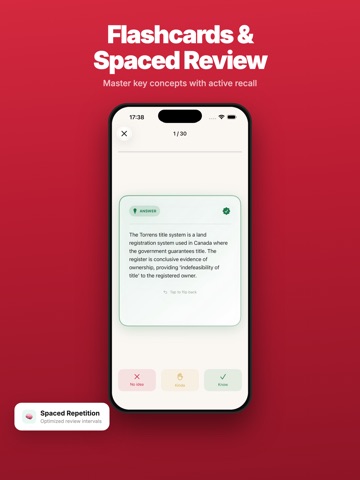
EstatePrep helps you prepare for the Canadian real estate licensing exam with practice questions, flashcards, and province-specific mock exams. FREE: • 20 practice questions per day • Topic-based practice (10 topics) • Exam tools (LTT calculator, commission calculator, mortgage qualification & more) • Basic progress tracking PRO SUBSCRIPTION — unlock everything: • Unlimited questions & mock exams • Flashcards with spaced repetition • Full exam simulation (province-specific timing & pass score) • Pass prediction & smart practice • Scenario-based practice Subscription options available as monthly, quarterly, or lifetime purchase. Payment will be charged to your Apple ID account at confirmation of purchase. Subscription automatically renews unless cancelled at least 24 hours before the end of the current period. Manage subscriptions in Settings > Subscriptions. Terms of Use: https://www.estatepass.ai/terms Privacy Policy: https://www.estatepass.ai/privacy
Latest release
What’s New
• Fill in the Blank — Reinforce key terms by completing passages from actual exam content SMARTER PRACTICE • Smart Practice now includes spaced repetition items for optimal review timing • Province-specific question filtering — see questions relevant to your province (ON, BC, AB) REALISTIC MOCK EXAMS • Province-specific exam simulation: Ontario (75Q/150min/75%), BC (120Q/210min/70%), Alberta (100Q/180min/70%) • Pass score and timing automatically adjust to your selected province NEW EXAM TOOLS • Land Transfer Tax Calculator — Provincial LTT for ON, BC, AB with first-time buyer rebates • Commission Calculator — Agent commission split with HST/GST breakdown • Mortgage Qualification — GDS/TDS stress test checker with CMHC insurance calculation • Closing Timeline — Visual timeline from offer to closing with province-specific milestones ENHANCED EXPERIENCE • Redesigned home screen with 8 study tool cards and live progress badges • New 3-step onboarding with 5-question diagnostic assessment • Pass Prediction now tracks your momentum trend (improving/stable/declining) • Actionable recommendations — tap any suggestion to start practicing immediately • Subscription status refreshes instantly after purchase BUG FIXES • Fixed blank screen when navigating to Practice or Mock Exam tabs • Fixed wrong book showing network error when empty • Fixed province filter using correct database column
Audience growth
Ratings growth
Baseline captured. Growth appears after the crawler observes a changed rating count.
Momentum comes from crawler snapshots for the tracked storefront. “Viral growth signal” means unusually fast recent rating gains; it is an indicator, not download data.
Price tracking
Price intelligence
First snapshot captured. The trend line starts after the next crawler price observation.
- First observed Aug 18, 2026 · 11:44 PM Free
Screenshots