About this app
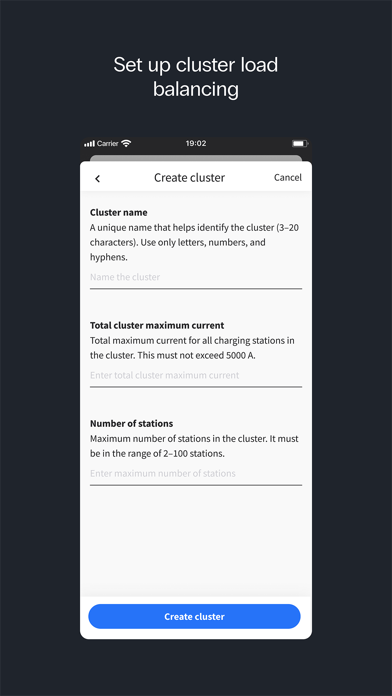
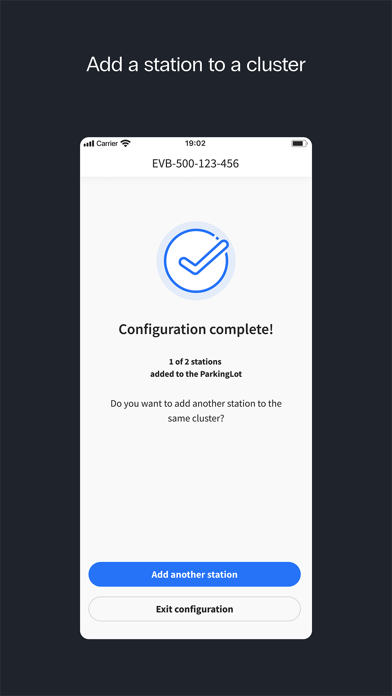
Note: EVBox Install is for qualified charging station installers only. Configuring the charging station via EVBox Install app is a mandatory step in making the following stations operational: • EVBox Livo • EVBox Livo 2 • EVBox Liviqo • Mercedes-Benz Wallbox Other stations such as EVBox Elvi, EVBox BusinessLine or EVBox Iqon are configured via the EVBox Connect app instead. ----------------------- With the EVBox Install app, installers can connect to the charging stations listed above and do the following: • Configure the charging station to a local Ethernet, Wi-Fi, or cellular network to enable communication between a charging management service provider and the charging station. • Set the maximum charge current. • Configure the current balancing features. • Provide station firmware updates. All the steps to successfully complete a configuration are explained inside the app. Do you need help with installing the station? Consult the charging station's installation manual.
Latest release
What’s New
This version includes several performance and stability improvements. This version enables the installer to select the charging management platform during the station installation. Bundled charging station software: 5.24
Audience growth
Ratings growth
Baseline captured. Growth appears after the crawler observes a changed rating count.
Momentum comes from crawler snapshots for the tracked storefront. “Viral growth signal” means unusually fast recent rating gains; it is an indicator, not download data.
Price tracking
Price intelligence
First snapshot captured. The trend line starts after the next crawler price observation.
- First observed Aug 14, 2026 · 3:07 PM Free
Screenshots