About this app
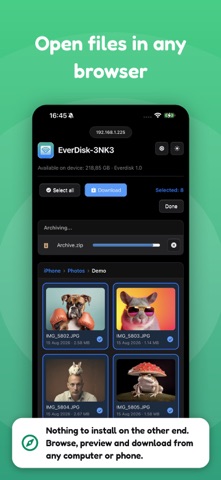
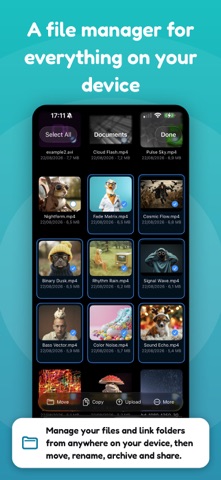
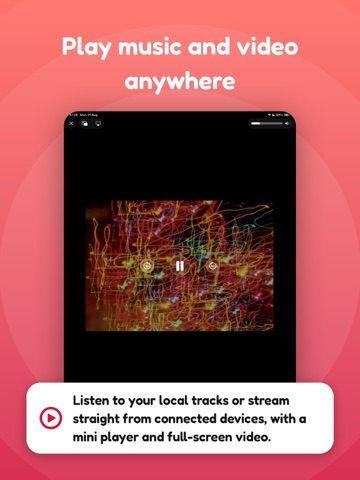
Turn your iPhone or iPad into a wireless drive, and a hub for your other devices too. Share your files, photos, videos and music with anything on your network, browse and stream from other servers, and manage everything on your device. No accounts, no cloud, no extra app to install on the other side. Tap Start and you are ready. The app runs five servers at the same time, so every device connects the way it likes: smart TVs, computers, web browsers and file apps. WATCH ON YOUR TV Stream photos, videos and music straight to smart TVs and media players over DLNA. Your library shows up on the TV by itself, with preview thumbnails, so you can enjoy it on the big screen. OPEN IN ANY WEB BROWSER Share a simple link and the other person just opens it in a browser. They can browse your files in a grid or list, view photos in a full screen gallery, play music in the built in player, and download anything. USE IT AS A NETWORK DRIVE Connect from Finder on a Mac, from Windows or from Linux over WebDAV, and your device appears like a normal network disk. Drag and drop both ways: copy files from your computer to your device, or pull them back. SHOW UP IN FINDER OVER SMB Turn on the SMB server and your device appears in Finder under Network, right beside your other computers. Open it and work with your files like any mounted disk. Turn on encryption to keep the connection private and safe on unknown or public WiFi. NO WIFI? USE THE CABLE Connect your device to a Mac with the same USB cable you use to charge it. Files move faster than WiFi, and it keeps working on a plane, in a hotel, or any locked network where WiFi is blocked. CONNECT TO OTHER DEVICES Find and connect to DLNA, WebDAV, FTP, SFTP and SMB servers on your network. Browse their folders, stream audio and video, download files, and create folders, upload, rename, move or delete when allowed. MANAGE FILES ON YOUR DEVICE A built in file manager for everything on your device. Browse in list or grid, create folders, rename, move, copy, zip and unzip, and delete. Connect folders from anywhere and work with them right in the app. SCAN DOCUMENTS TO PDF Scan paper documents with your camera. The app finds the edges automatically, straightens every page, and saves them as a clean PDF, ready to share or store. EDIT AND ANNOTATE PDFS Open a PDF and mark it up in a few taps. Add notes, highlights and drawings, fill in the blanks, and save your changes straight back to the file. PLAY IT IN THE APP Enjoy audio in a mini player with a queue, shuffle, repeat and lock screen controls, and watch videos full screen. Your Photos and Music libraries play right here. SHARE YOUR WHOLE LIBRARY Turn on your full photo and music library and every album and track becomes available over the network. Keep them in original quality, or convert to a more compatible format when you need it. SEND FILES BACK It works both ways. Upload photos, documents and whole folders from any computer straight into your device. PRIVATE AND SAFE Everything stays on your local network and never touches the internet. Protect access with a login and password, and block any device with one tap. EASY TO SHARE Just tap Start and share your files five ways at once: DLNA for TVs and media players, HTTP for any web browser, WebDAV and SMB for Finder, Windows and Linux, and FTP for file apps. WHAT YOU CAN DO • Move photos and videos to a computer in seconds • View photos and watch videos on a TV • Send files between two iPhones or iPads • Play your music through a media player, TV or the app • Browse and download from other servers on your network • Manage, zip and organize files on your device • Give someone a link to grab files from a browser • Mount your device as a network drive in Finder Download the app and share everything on your device, the simple way. Privacy Policy: https://www.everappz.com/privacy-policy Terms of Use: https://www.everappz.com/terms-and-conditions
Latest release
What’s New
Hello everyone! SMB is here. Connect to Windows PCs, Macs, and NAS shares right from the Devices tab, and share this device's content over SMB. Your device now shows up in the Network section of Finder on your Mac, so you can browse, copy, and manage your files and photos as easily as any other drive, with no app to install. • New SMB support: connect to Windows, Mac, and NAS shares, and share your own content back • Your device appears in Finder's Network on Mac for easy file and photo management • SMB3 encryption with AES, so you can fully protect your connection on untrusted Wi-Fi like a cafe or airport • Faster, smoother browsing of large Photos and Music libraries, with proper paging and stable dates on every server • Exported and downloaded songs now carry their full track details and album artwork • Photos and Music are read-only over the network, so shared libraries stay safe • Connected devices show their real names, and you can block devices over FTP and SMB Plus stability fixes for SMB connections, connection thumbnails, background audio, and the iPad layouts. Thank you for using Everdisk. Your feedback and reviews are always appreciated.
Audience growth
Ratings growth
Baseline captured. Growth appears after the crawler observes a changed rating count.
Momentum comes from crawler snapshots for the tracked storefront. “Viral growth signal” means unusually fast recent rating gains; it is an indicator, not download data.
Price tracking
Price intelligence
- First observed Aug 24, 2026 · 7:44 PM Free
Screenshots