About this app
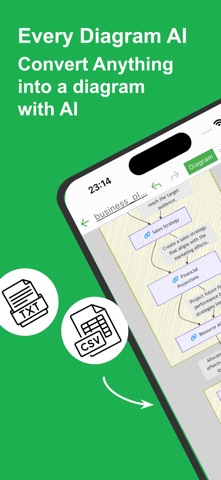
An AI-powered app that makes diagram creation effortless. From flowcharts to process diagrams, organize your thoughts, retain information, and set goals with ease. The AI automatically identifies key points and generates intuitive, concise diagrams. Simply provide a rough idea of what you want to create, and the app will turn it into a clear visual. Additionally, it can convert content from websites, PDFs, documents, images, or even audio into diagrams. Use it in scenarios like these: - Collect and visualize information from news and blogs: Organize collected data and highlight key points effectively. - Create meeting minutes: Simplify meeting notes and visually emphasize key takeaways. - Career planning and life goals: Structure your goals and career paths with a clear long-term vision. - Optimize and visualize business processes: Summarize each process and enhance operational efficiency. - Manage projects and share progress: Organize project milestones and share updates seamlessly. - Design sales flows and processes: Map out sales strategies and create a clear visual approach. - Structure customer support workflows: Define key points in customer interaction to improve support quality. - Plan and manage from concept to execution: Break down project steps into manageable parts for clarity. - Manage new product or service launch processes: Organize implementation steps for effective execution. - Visualize budgeting and fundraising processes: Map financial plans and track fund flow with ease. - Simplify internal approval and decision-making workflows: Unify recognition by summarizing the flow. - Develop training programs and manuals: Organize training content to deepen understanding. - Plan and execute marketing strategies: Lay out strategy components and visualize the process from planning to execution. - Visualize educational content: Organize learning points for each topic effectively. - Bring ideas to life: Consolidate brainstorming results for easier identification of next steps. - Set goals: Clearly define objectives for individuals or teams to focus on what matters. - Plan projects: Outline each phase and create actionable execution plans at a glance. Whether you’re managing complex information or just want to organize ideas more efficiently, try this app and discover its versatility! [Features] - AI-Driven Creation Enhance productivity by creating diagrams easily with AI assistance. - Intuitive operability Ease of use is the most important thing for simple functions. It works quickly and you can edit intuitively. - Ready to use You can use it immediately without registering an account. - Export and share You can export the created diagrams, share it, or edit it on your PC. - Text-based editing Edit your diagram directly using Mermaid notation. - Dark theme support Since it supports a dark theme, it is also ideal for use at night.
Latest release
What’s New
Added support for asking AI questions using created files as context.
Audience growth
Ratings growth
Baseline captured. Growth appears after the crawler observes a changed rating count.
Momentum comes from crawler snapshots for the tracked storefront. “Viral growth signal” means unusually fast recent rating gains; it is an indicator, not download data.
Price tracking
Price intelligence
First snapshot captured. The trend line starts after the next crawler price observation.
- First observed Aug 22, 2026 · 2:58 AM Free
Screenshots