About this app
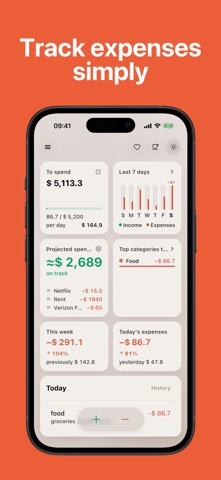
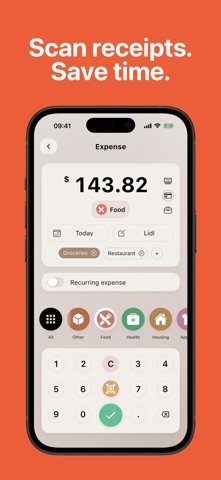
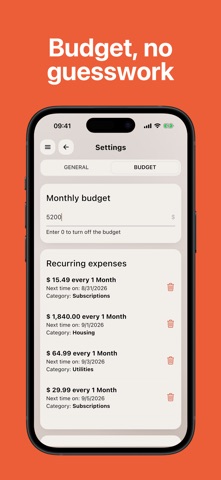
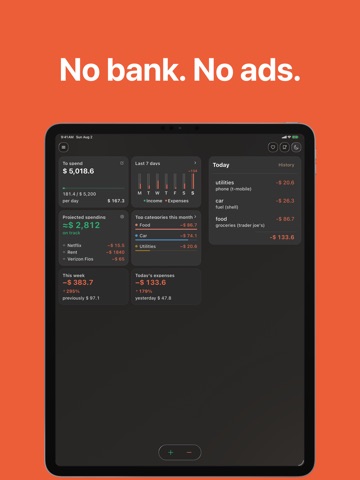
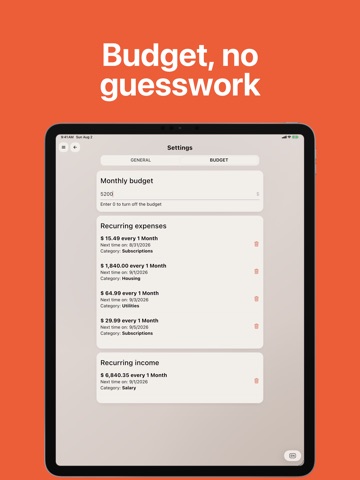
Ever open your banking app and wonder where the money went? Money Gone?! shows you – in a few seconds a day, with no bank linking, no account and no ads. Log an expense in three taps, or snap a photo of the receipt and let AI read the amount, date and category for you. Set a monthly budget and always know how much is still safe to spend. That's it – money tracking that finally sticks. WHY PEOPLE STAY WITH MONEY GONE?! • Add expenses in seconds – quick entry designed for daily use • Scan receipts – AI reads the amount, date and category automatically • Monthly budget – see what's left, your daily allowance and a month-end forecast • Safe to Spend – upcoming bills are already deducted, so the number is honest • Recurring expenses – subscriptions, rent and bills log themselves • Income tracking – salary, bonuses and balance in one clear history • Smart statistics – top categories and trends by day, week, month or year • Budget alerts – a heads-up at 80% and when you go over • Daily summary – an evening notification with today's spending and balance • CSV export – analyze your data in Excel or Google Sheets • 120+ currencies, light and dark mode, colorful themes, home screen widgets PRIVATE BY DESIGN No ads. No bank connection. No required sign-up. Your data stays on your device – create an optional free account only if you want backups and sync between devices. SIMPLE ON PURPOSE Money Gone?! is for people who quit complicated budget planners. No spreadsheets to configure, no accounts to connect – just open, add, and see where your money goes. PREMIUM, YOUR WAY The core tracker is free. Premium unlocks receipt scanning, recurring expenses, subcategories, advanced filters and more – as a subscription or a one-time lifetime purchase. Try it free first. Download Money Gone?! and find out where your money really goes. The app offers optional in-app purchases, including auto-renewable subscriptions. Payment will be linked to your Apple ID account after purchase confirmation. You can manage or cancel your subscription anytime in Settings > Apple ID > Subscriptions. - Privacy: https://www.creamsoft.com/rd.php?p=wmm_iosprivacy - Terms: https://www.creamsoft.com/rd.php?p=wmm_iostermsofuse
Latest release
What’s New
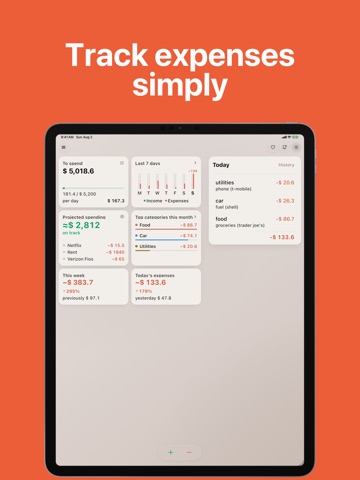
Money Gone?! 3.0 is here – the biggest update yet. MONTHLY BUDGET Set a limit for the month and see at a glance how much is left, how much you can spend on each remaining day, and where you'll land by month end – with a clear on track / close to limit / over budget status. SAFE TO SPEND Upcoming recurring payments are deducted before the number is shown, so what's left is what's really left. INCOME TRACKING Add income the same way you add expenses, including recurring income like salary, and see your balance instead of just costs. TRANSACTION HISTORY Expenses and income in one timeline. Search your notes and filter by amount, category or payment method. REDESIGNED DASHBOARD Top categories, today and the last 7 days, recent transactions and a new bottom action bar – everything one tap away. ALSO NEW • Budget alerts at 80% and when you go over • Reworked expense and income forms, with editing straight from the dashboard • iPad: a two-column dashboard instead of a stretched phone layout • New app icon, refreshed themes and side menu • Dozens of fixes and speed improvements Enjoying Money Gone?! A quick rating really helps us keep building. Thank you!
Audience growth
Ratings growth
Baseline captured. Growth appears after the crawler observes a changed rating count.
Momentum comes from crawler snapshots for the tracked storefront. “Viral growth signal” means unusually fast recent rating gains; it is an indicator, not download data.
Price tracking
Price intelligence
- First observed Aug 24, 2026 · 12:49 AM Free
Screenshots