About this app
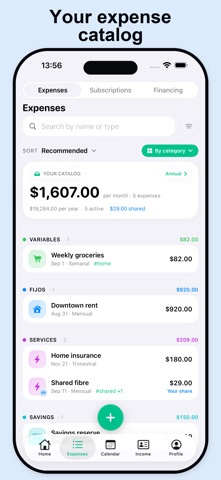
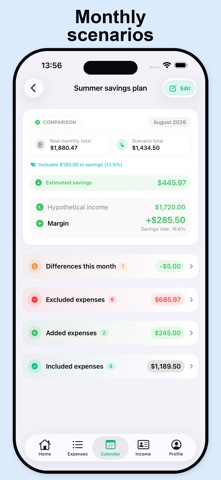
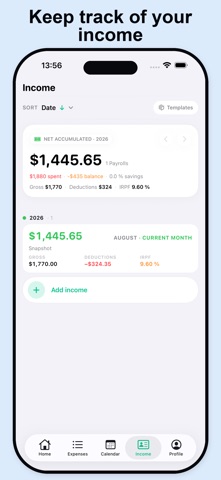
Expenses & Subscriptions is the iOS app to control your expenses, subscriptions and shared accounts without relying on any server. Your data lives on your iPhone and is synced only with the people you pick via iCloud Drive. FEATURES • Subscription hub with automatic logos, monthly total and upcoming renewals. • Personal and shared expenses, with your real share calculated automatically. • Financings with installments, remaining debt and next charges. • Full salaries with breakdown, plus other income in the same month: extra payments, rent, one-off jobs. • Hypothetical scenarios to simulate raises, moving houses or new expenses. • Dashboard with alerts, category radar and monthly/yearly breakdown. • Calendar with upcoming charges and filters. • Import and export your full data as CSV (no lock-in). • Multi-select with bulk archive/delete and Undo. • Payment methods, colors and full personalization. PRIVACY • No account, no sign-up, no external servers. • Data never leaves your iPhone except to the iCloud Drive folder you choose. • No ads, no trackers, no in-app purchases. Perfect for couples, flatmates or anyone who wants detailed control of their finances without depending on someone else's cloud.
Latest release
What’s New
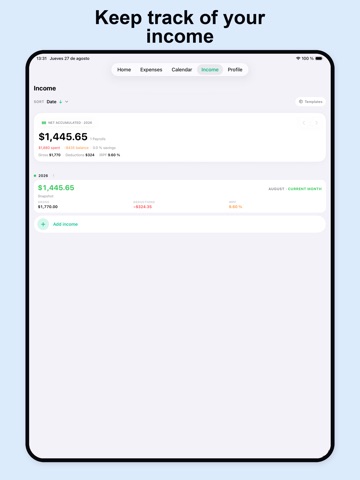
What's New • The Payroll tab is now Income: log several income entries in the same month — your payroll, an extra payment, rent or a one-off job — each with its own label. • Everything you earn counts: Home's "earned vs spent", the yearly summary and scenarios now add up those other entries too. • Payments charged every two months no longer show up in the calendar on months they're not due. • Adding financing is clearer: required fields are marked, and if there's no interest just leave the rate at 0. • Paying a yearly expense early? Mark it as paid with its date: the charge leaves the month it was due and shows up in the month you actually paid it. • New bank filter in Expenses and Calendar: everything that goes through that account — direct debits, what's paid from it and what it finances. • Scenarios no longer inflate expenses in another currency: they're converted before adding up, so estimated savings add up again. • Clearing filters no longer means scrolling to the bottom: the button is right at the top when you open them.
Audience growth
Ratings growth
Baseline captured. Growth appears after the crawler observes a changed rating count.
Momentum comes from crawler snapshots for the tracked storefront. “Viral growth signal” means unusually fast recent rating gains; it is an indicator, not download data.
Price tracking
Price intelligence
First snapshot captured. The trend line starts after the next crawler price observation.
- First observed Sep 4, 2026 · 5:57 AM Free
Screenshots