About this app
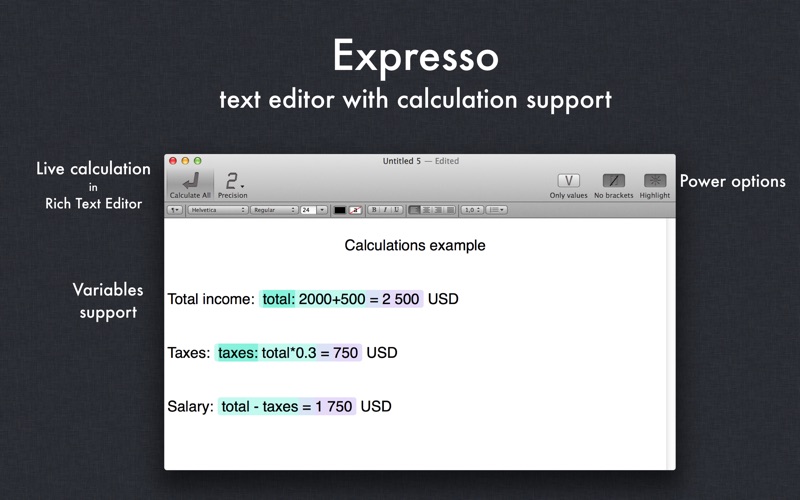
Suppose you want to calculate something quickly: a sales tax amount, a profit, a costs, etc. Just run Expresso, a handy little text editor with calculation capabilities. Type your expression, press Enter, get result and assign it to a variable if you want. Then re-use variables anywhere in text and within new expressions. All expressions are live: change one of them and all dependent expressions are calculated automatically! What could be easier, or more flexible? And besides all features of TextEdit-like editor are always at hand! See demo video: http://is.gd/expresso Expresso allows you to: - calculate math expressions inside Rich Text documents; - assign results to other variables and use those results anywhere in your document or within new expressions; - annotate calculations with text; - place expressions anywhere in text; - organize calculations inside tables like in spreadsheets. Expresso has common math operators and functions available: (+, -, *, /, %, !, ^) in addition, to the following functions: sum(), count(), min(), max(), median(), stddev(), average(), random(), sqrt(), log(), exp(), ceil(), floor(), sin(), cos(), tan() and others! Please see the help page for more details. Expresso's Simple Features & Rules: - all dependent expressions are calculated automatically - press Enter in any place of an expression or just after the last square bracket to calculate a value - use square brackets [ ] for expressions. For example: [2+2]. - use variables in your expressions. For example: [10*x]. - input the name of a variable before the expression followed by ":". For example: [x:2+2], variable x will have the value 4. - move the cursor or click on an expression to edit - calculations can be saved in RTF format or copied to the clipboard. Options: - ability to calculate expression without using brackets if an expression is on separate line; - ability to hide/show an expression and show only variable and value; - ability to remove expressions highlight. You can associate a value with a variable such as [x:10*5] and then use the variable in another expression such as [x/52]. When you calculate the variable "x" all dependent expressions are calculated automatically. Watch demo video on our web site. Click "Expresso support" button on the right of this page. If something is not working for you, please, contact us: expresso@deepitpro.com
Latest release
What’s New
- added an option "Don't show news panel" in Preferences 1.3 - added news panel; - advanced features are unlocked.
Audience growth
Ratings growth
Baseline captured. Growth appears after the crawler observes a changed rating count.
Momentum comes from crawler snapshots for the tracked storefront. “Viral growth signal” means unusually fast recent rating gains; it is an indicator, not download data.
Price tracking
Price intelligence
First snapshot captured. The trend line starts after the next crawler price observation.
- First observed Aug 7, 2026 · 10:47 PM Free
Screenshots