About this app
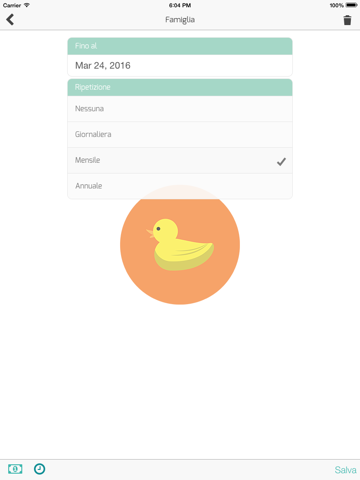
An app to keep track of everyday expenses. Developed for daily use, it will help in a few gestures to understand how you spend your money. Create your list, define a monthly budget, sort expenses into categories and you can keep an eye on a daily basis the money spent and the budget still available. Eye on expenses allows you to share each list with other people, so as to allow participants to your expenses to add, edit, and view the list in common. If you have expenses that recur with some frequency (daily, monthly, yearly), Eye on expenses allows you to configure the repetition of movements over time, making the recording of expense agile and fast. The monthly and yearly graphics, will allow you to have a complete view of your expenses, simply by identifying the categories that have the greatest impact on your budget. ACCOUNTS You can configure multiple accounts, they are containers that allow you to manage your expenses and income, like industry family, corporate or otherwise. CATEGORIES: For each account you can configure unlimited categories both for income and for the expenses. PLACES: Each user can enter the places where he made his purchases. BUDGET: For each account, you can set a fixed budget independent of the amount of revenue, or decide to calculate the budget dynamically based on revenue. BEGINNING OF THE MONTH: Each account can be chosen a different beginning of the month from the first day, to have a management of receipts and expenditure closer to reality AVATAR: Each account can be chosen an avatar to quickly identify which account you are operating. SHARING: Each account can be shared with multiple users, using any device, to allow more people to be able to act on behalf of all concerned. REPORT: There are annual and monthly reports, by category and amount, help very clearly what expenses more effective. At the user level there are also total statistics for all accounts. INCOME / OUTCOME: They can configure inputs and outputs recurring on a daily, monthly annually. UNEXPECTED EXPENSES: If a charge was unexpected it can be marked, in order to understand over time how many unexpected expenses had a negative impact on our budget. LIKE / DISLIKE For every expense you can set if was satisfactory or not, to help us remember the time as buying avoid and which is redone. SEARCH: For each account you can do a search, the time of our inputs and outputs, this feature is very handy to help us remember when it was made a charge and what exact amount over time.
Latest release
What’s New
Correct visualization of totals per day; Correct visualization of dates in search panel; Correct repeat function of movements; Show balance in home and account detail page; Added payment types; Important new features coming, stay tuned!!
Audience growth
Ratings growth
Baseline captured. Growth appears after the crawler observes a changed rating count.
Momentum comes from crawler snapshots for the tracked storefront. “Viral growth signal” means unusually fast recent rating gains; it is an indicator, not download data.
Price tracking
Price intelligence
First snapshot captured. The trend line starts after the next crawler price observation.
- First observed Sep 16, 2026 · 1:58 PM Free
Screenshots