About this app
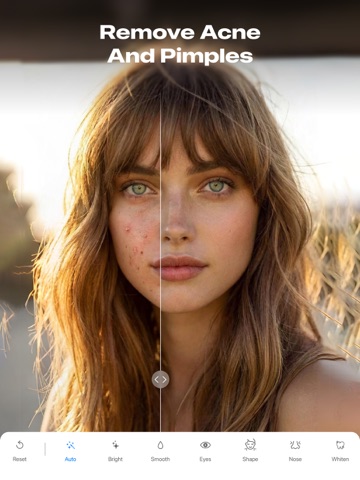
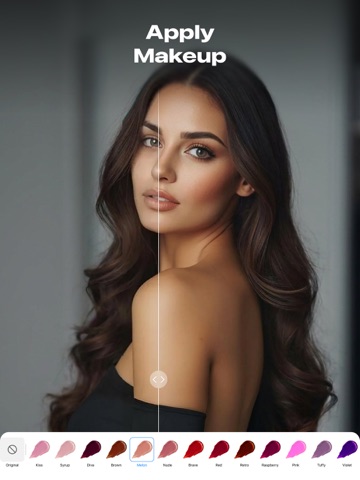
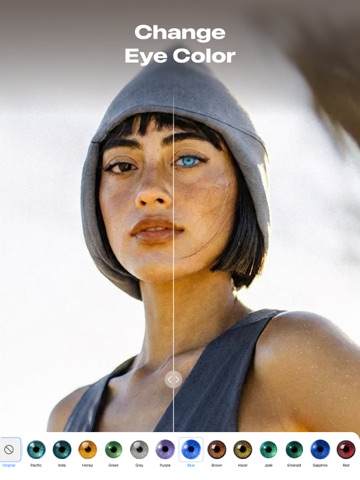
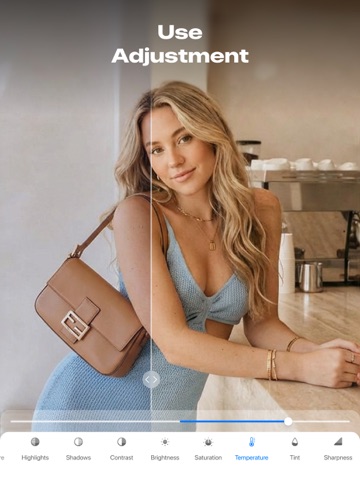
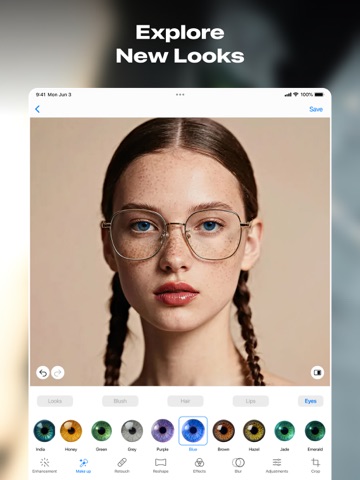
Looking for an easy way to make your photos look more expressive? This app helps you reveal color, depth, and character in just a few taps. Bring out the best in every portrait with an intelligent, easy-to-use photo editor. Whether you want a natural touch-up or a creative transformation, the app gives you control to reshape photo details with precision and ease. Key Features - Skin smoothing and tone correction; - Teeth whitening; - Hair and eyes color change; - Shape and size control for eyes, lips, nose, and brows; - Aesthetic filters for the entire photo; - Light, texture, and overlay effects; - Multiple blur styles; - Exposure and brightness control; - Contrast and saturation tuning; - Free and preset cropping ratios; - Before & after comparison. Enhance Your Look Start by giving your image a clean, expressive look. Built-in enhancement tools help brighten the scene, correct lighting, and refine facial features for a more balanced result. You can also make simple changes — like adjusting brightness or adding a soft glow — to achieve the look you want. Express Yourself With Makeup Explore creative makeup options that shape the aesthetic of your portrait. Try new eye shades, experiment with lip colors, or adjust hair tint to suit the style. These tools blend smoothly into the photo, helping you elevate the look or create something more vibrant. Reshape With Precision Small adjustments can change how a portrait feels. Refine contours or shift proportions with gentle movements to bring features into better balance and subtly adjust face shape. The result looks natural — like capturing the photo from a better angle. Artistic Effects & Filters Filters and effects help set the emotional tone of your photo. Warm up colors for a cozy feel, add a cinematic shade, or apply creative effects to the background while keeping the subject clear. Each option brings its own atmosphere, making it easy to match your vision. Advanced Blur Tools Add depth or highlight your subject with smooth blur effects. Softening the background, directing focus to the face, or blurring custom areas guides attention and makes your content feel more polished. Tone, Light & Color Adjustments Fine-tune the emotional feel of your photo with thoughtful controls. Adjust contrast for clarity, shift temperature, or boost saturation to make colors more alive. Even small changes can transform the atmosphere, making the photo brighter, softer, or more dramatic. Whether you're polishing a selfie, preparing a portrait, or experimenting with creative styles, this photo enhancer makes every edit feel effortless. Discover how easy it is to transform any photo into something special! SUBSCRIPTION Enjoy the app and get exclusive bonuses: 1) Entire filter library 2) Full preset collection 3) Extended visual effects 4) Watermark-free exports 5) No ads Make your life easier with premium access: - Paid subscription is divided into 3 types: weekly, monthly and annual. - The cost of a weekly paid subscription is $9.99. Monthly - $16.99. Annual - $49.99. - The amount will be charged to your Apple ID account at confirmation of purchase. - You can cancel a subscription or trial period at any time, but no later than 24 hours before the end of the current period. OTHERWISE it will be automatically renewed. - Your account will be charged for renewal within 24-hours prior to the end of the current period. - After payment, you can manage your subscription and turn off auto-renewal in your account settings. - Any unused portion of the free period will be forfeited upon purchase of the subscription. - Read our privacy policy and terms of use: https://appenvisions.com/privacy.html https://appenvisions.com/terms_of_use.html
Audience growth
Ratings growth
Momentum comes from crawler snapshots for the tracked storefront. “Viral growth signal” means unusually fast recent rating gains; it is an indicator, not download data.
Price tracking
Price intelligence
- First observed Aug 5, 2026 · 5:20 PM Free
Screenshots