About this app
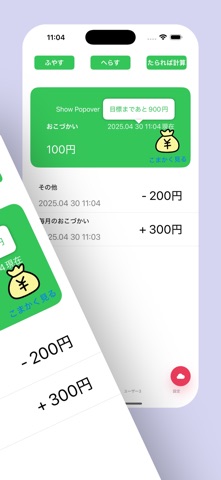
Register a user’s name, and their name will appear on a tab. By switching tabs, you can manage allowance for each individual user. Although manual input is possible, the app is designed so kids can easily record their allowance with just a tap. In case of mistakes, you can delete entries, change the date, or leave a short note. The screen includes fun animations to make the experience more enjoyable. Up to four users are displayed in tabs — additional users will appear under the “More” tab. This app is designed to make it easy and fun for anyone to keep track of their allowance.
Latest release
What’s New
Now available in English! Required fields now show alerts for a smoother experience.
Audience growth
Ratings growth
Baseline captured. Growth appears after the crawler observes a changed rating count.
Momentum comes from crawler snapshots for the tracked storefront. “Viral growth signal” means unusually fast recent rating gains; it is an indicator, not download data.
Price tracking
Price intelligence
First snapshot captured. The trend line starts after the next crawler price observation.
- First observed Sep 1, 2026 · 2:23 PM Free
Screenshots