About this app
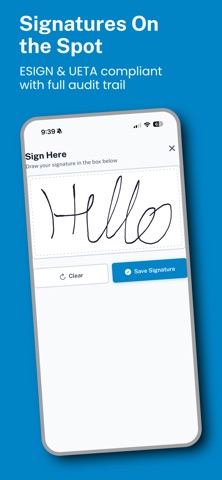
FieldForms Pro enables easy, efficient form filling for field technicians. Fill out job forms, scan barcodes, take photos, and collect customer signatures — then submit. Automatically send PDFs and manage the submissions in your administrative portal. Works offline. Forms save to your device every 30 seconds. When you're back in range, everything syncs automatically. Scan, don't type. Scan serial numbers, VINs, and barcodes directly into form fields. Photo documentation. Capture and attach photos right inside the form — labels, installs, damage, anything that needs to be on record. E-signatures. Collect customer sign-off on the spot. Signatures are ESIGN and UETA compliant with full audit trails, document hashing, and signature certificates. Signatures are embedded in the delivered PDF. Multi-entry jobs. Add repeating entries for each vehicle, unit, or location — all in one submission. Then automatically separate them into individual PDFs if desired and send them. Projects. Project-specific form versions. Connect form fields to a registry of data for your project.Advanced features. Mathematical functions, conditional logic, subforms. Form Actions for custom functionality like VIN decode from a chosen field or image. Populate year, make, model. Take a picture of the sticker and have the information auto-populate your form using offline, on-device AI. Built for: GPS & fleet telematics installers, locksmiths, home inspectors, and any field service team. Anyone who needs reliable, efficient, polished form filling on their mobile device. Requires a FieldForms Pro account. Your organization manages forms and users through the FieldForms Pro web portal. Contact your administrator to get access.
Latest release
What’s New
Copy to clipboard mode Draft/submission hardening Improved loading page Bug fixes and improvements
Audience growth
Ratings growth
Baseline captured. Growth appears after the crawler observes a changed rating count.
Momentum comes from crawler snapshots for the tracked storefront. “Viral growth signal” means unusually fast recent rating gains; it is an indicator, not download data.
Price tracking
Price intelligence
First snapshot captured. The trend line starts after the next crawler price observation.
- First observed Aug 18, 2026 · 11:24 AM Free
Screenshots