About this app
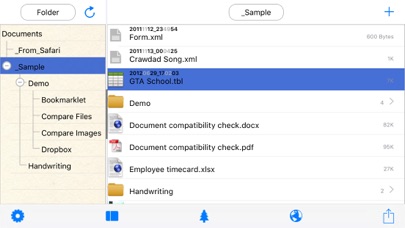
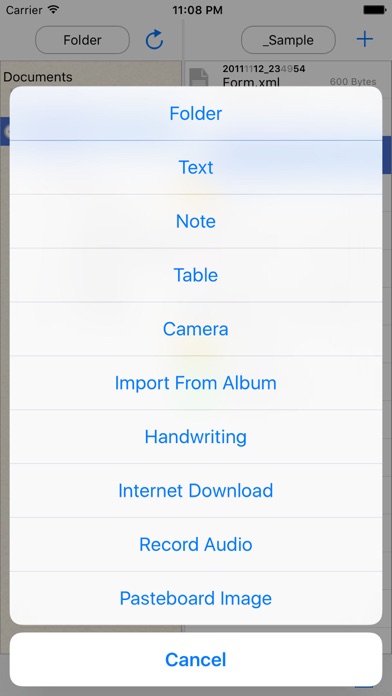
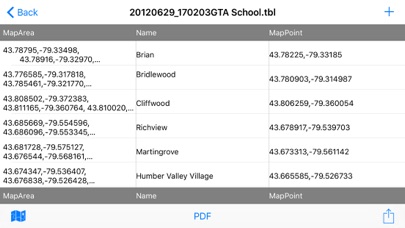
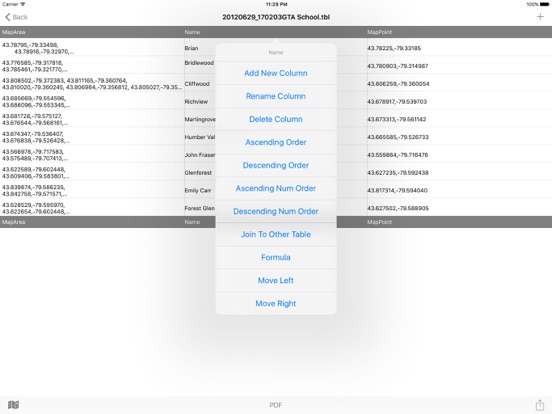
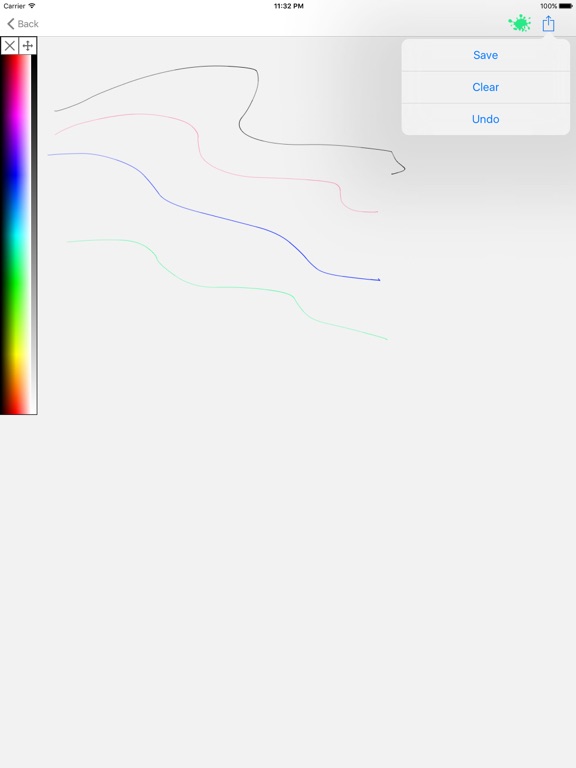
ile Manager is a powerful, all-in-one file management app for iPhone and iPad. Organize, browse, play, edit, and share your files — no subscriptions, no cloud accounts required. FOLDER TREE STRUCTURE • Split-panel layout with an expandable folder tree on the left and file list on the right • Create, rename, move, and delete folders with drag-and-drop support • Swipe to delete files quickly, or use the context menu for more options WI-FI TRANSFER & AIRDROP • Transfer files wirelessly from any computer or device using a web browser on the same Wi-Fi network • Receive files via AirDrop and "Open In" from other apps • No cables, no cloud — your files stay on your device AUDIO & VIDEO PLAYER • Built-in player for MP3, M4A, WAV, FLAC, AAC, and more • Video playback for MP4, MOV, MKV, AVI, and other formats with HDR support • Background audio playback — keep listening while using other apps • Loop, shuffle, and play all tracks in a folder IMAGE & PDF EDITOR • View images in full screen with zoom and swipe gestures • Edit images: rotate, mirror, crop, resize, and adjust brightness, contrast, and saturation • Annotate and mark up PDF documents with the built-in editor • Export edited images directly to your library OFFICE FILES VIEWER • Open and view Word (.doc, .docx), Excel (.xls, .xlsx), and PowerPoint (.ppt, .pptx) files • View Rich Text Format (.rtf) documents • No third-party apps or conversions needed ZIP & UNZIP • Compress files and folders into .zip archives • Extract .zip files with one tap • Long-press any file or folder to zip, or any .zip file to unzip TEXT EDITOR • Create and edit plain text (.txt), Markdown (.md), and JSON files • Spreadsheet editor for CSV files with add/delete rows and columns BILINGUAL INTERFACE • Full English and Chinese (Simplified) interface • Automatically detects your device language on first launch • Switch languages anytime in Settings
Latest release
What’s New
• Zip and unzip files and folders directly from the file list • Swipe-to-delete for quick file removal • Onboarding walkthrough for new users • Automatic language detection based on device settings • Image editor with crop, resize, rotate, and adjustments • Video player with HDR support • Improved folder tree refresh after file operations
Audience growth
Ratings growth
Baseline captured. Growth appears after the crawler observes a changed rating count.
Momentum comes from crawler snapshots for the tracked storefront. “Viral growth signal” means unusually fast recent rating gains; it is an indicator, not download data.
Price tracking
Price intelligence
First snapshot captured. The trend line starts after the next crawler price observation.
- First observed Aug 22, 2026 · 2:42 AM Free
Screenshots