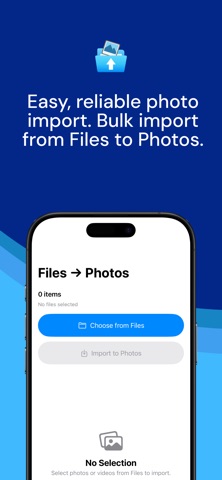
About this app
Bring files into your Photos library quickly and privately. Files to Photos lets you import images and videos from the Files app straight into Photos. It is ideal for organizing downloads, moving media from external drives, and tidying project assets. Designed to stay fast and dependable, even with large imports. Highlights • Import files from Files to Photos—fast and simple • Supports all common image and video formats • Smooth batch imports with clear progress • Handles large collections reliably • Clean, bloat‑free design Privacy • No analytics, trackers, or ads • No accounts or sign-ups • Media stays on your device Lightweight • Small app size, minimal permissions • Built for speed and reliability Files to Photos is great for migrating albums, consolidating downloads, or completing your library. It stays out of your way and respects your privacy. The free version includes unlimited imports in batches of up to 50 items. A one-time Pro upgrade removes the batch limit. Note: Files to Photos uses “Add Only” access to your Photos library. This allows the app to add new items but not view your existing photos.
Latest release
What’s New
Stability improvements! • Fixed minor issues
Audience growth
Ratings growth
Baseline captured. Growth appears after the crawler observes a changed rating count.
Momentum comes from crawler snapshots for the tracked storefront. “Viral growth signal” means unusually fast recent rating gains; it is an indicator, not download data.
Price tracking
Price intelligence
First snapshot captured. The trend line starts after the next crawler price observation.
- First observed Aug 13, 2026 · 3:55 PM Free
Screenshots